Ecommerce fashion photography
On-model and mannequin images for every garment in your catalog, made from the flat lay, hanger or on-model photo you already have.
Tell us what you sell. We'll come back with a photoshoot plan for your catalog.
Free. No card. We reply within one working day.
Ecommerce fashion photography is the set of product images a clothing store sells from: on-model shots, mannequin shots and details for every garment. QuickAds makes the on-model and mannequin shots from one photo per garment. On the default setting, each garment image is color-measured against your photo and gets a keep-or-retry score.
- Send a flat lay, a hanger shot, a folded garment or a photo of someone wearing it.
- The garment comes back on a model you pick or on a mannequin form, including an invisible one.
- One model and one set for a whole shoot make the range read as one brand.
- A generated image can drift in color and still look natural, so garment images are measured against your photo.
- QuickAds can also run the creative strategy and, on the productized plan, the campaigns the images go into.
Last updated · QuickAds Editorial Team
Three ways to buy, priced on the page.
Fashion photography runs on software you drive yourself from $199 a month, or from $5,000 a month when our team runs the shoots for you. We quote output and turnaround, never a return figure.
You run it: on-model and mannequin images for every garment, from the photos you already have.
Our team runs the shoots: the models, the sets and a check on every image before it reaches you. Each batch takes 5 to 7 days.
Creative plus campaign management, on a six-month minimum term.
What do you send for ecommerce fashion photography? The photo you already have.
One photo per garment is the whole input, and it does not need a white background. Tops, bottoms and one-piece garments are covered, plus jewelry, bags, eyewear, hats, watches, scarves and belts. Footwear is not.
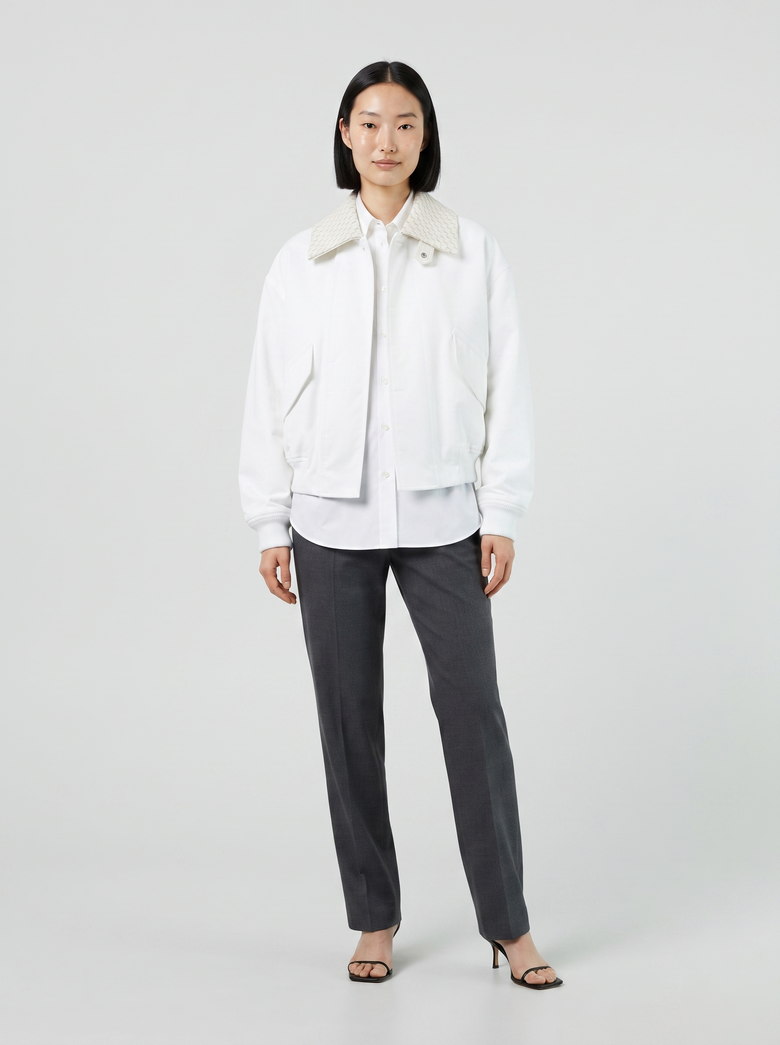 Generated
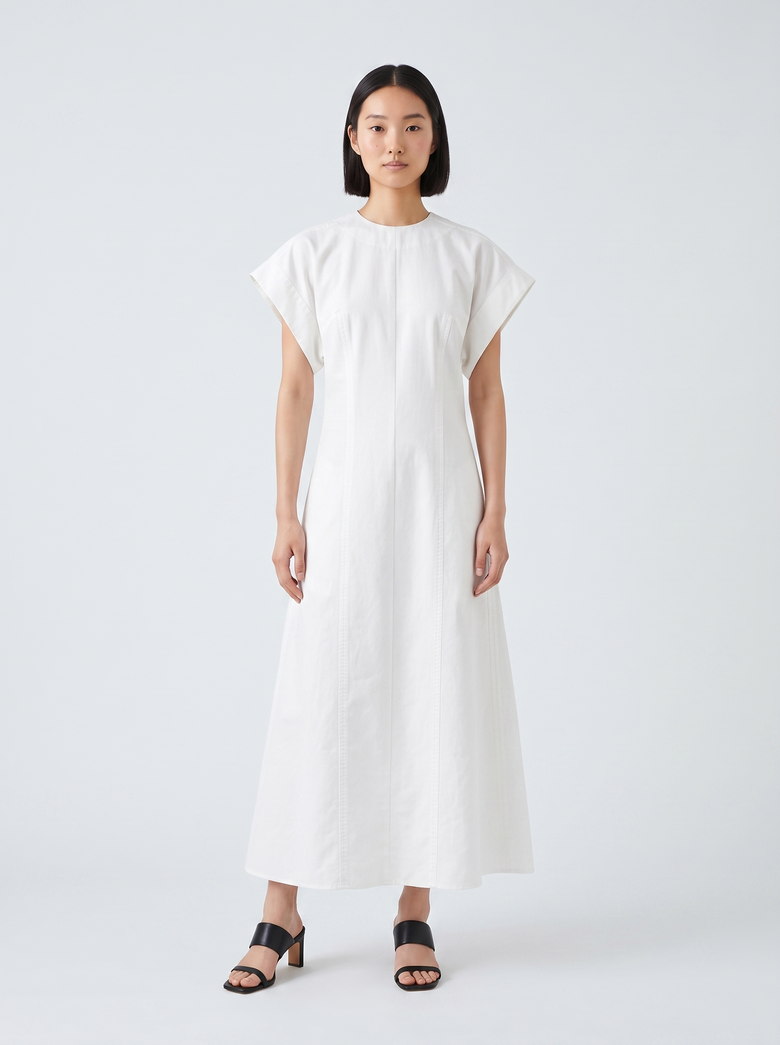 Generated
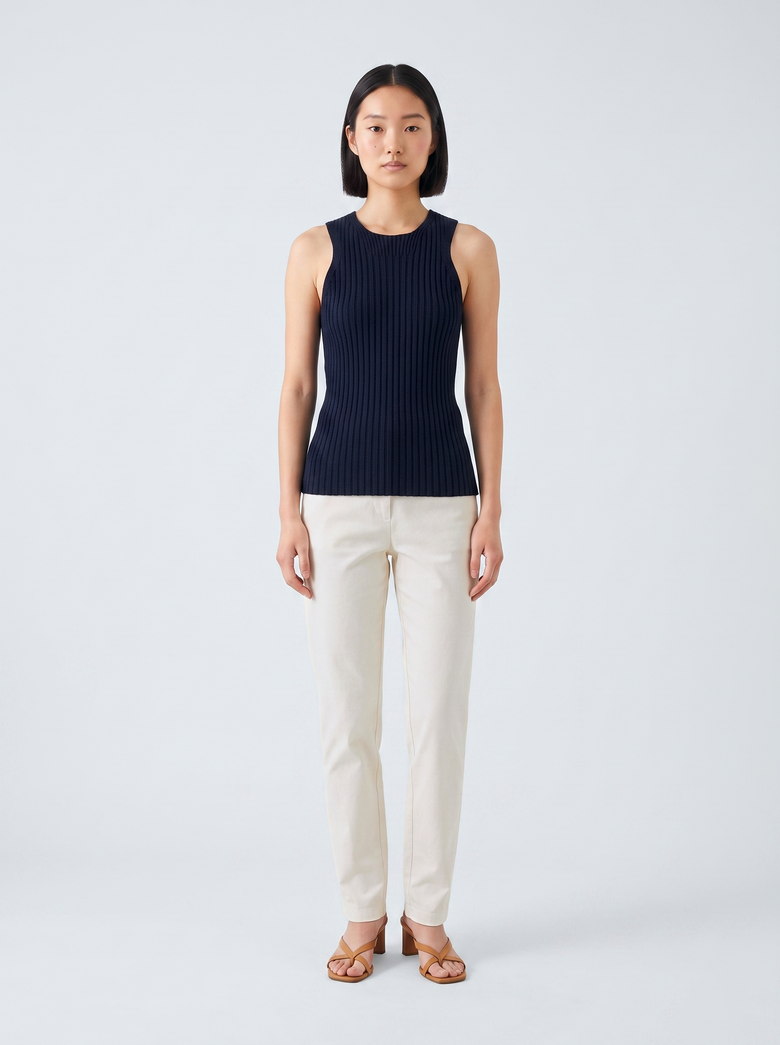 Generated
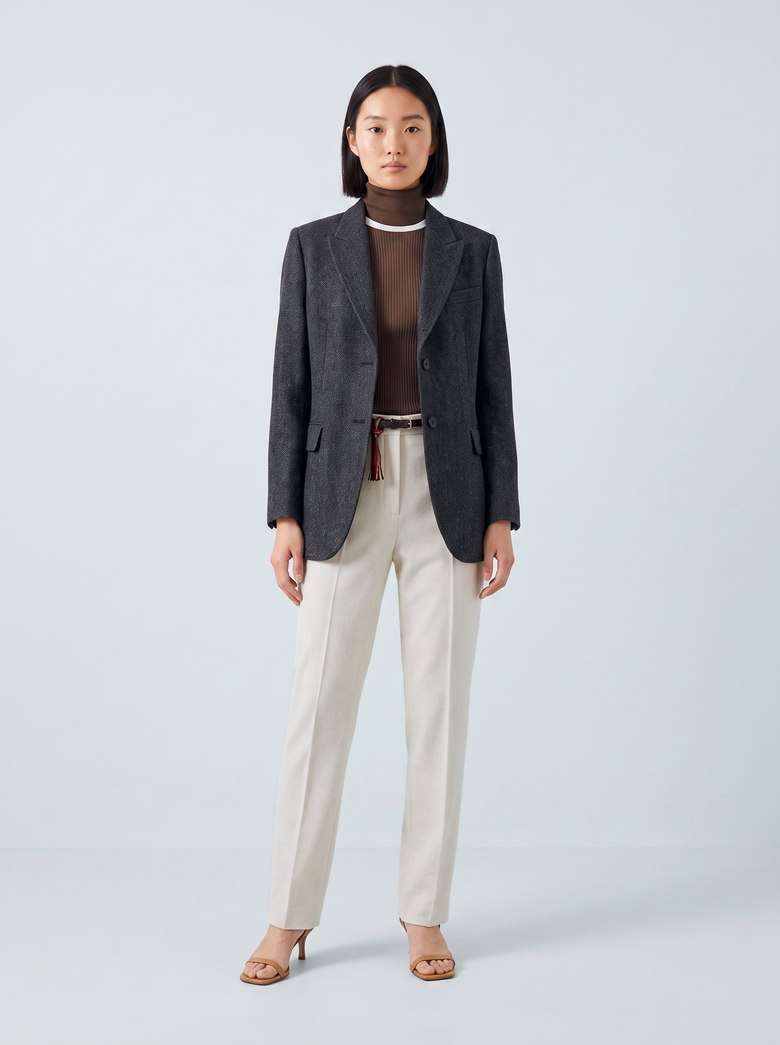 Generated
One model, four garments, one shoot. Every frame is generated, from garment photos on published product pages, none of them client work.
Google Merchant Center recommends showing clothing worn by a person. Source
How do you photograph clothes for a store without a studio? Six steps, from garment photo to finished set.
Start from one photo of each garment. Each comes back on a model or a mannequin, in the set you picked. Run it yourself on the software, or hand it to our team.
Send one photo per garment
One garment at a time, or a whole range from a spreadsheet or a shared folder.
Samples ship to a studio, wait for a slot, then wait again for retouching.
Software: upload one photo, or a sheet or Drive folder of up to 60 garments per shoot.
Our team: we work from the photos you already have, plus a line on how the brand should look.
Pick the model
The same face and build across the range, so the store reads as one brand.
Models are booked per shoot day, and next season's shoot has a different one.
Software: 16 ready-made models, eight womenswear and eight menswear, or upload a photo of your own model. One shoot can spread its garments across up to eight models.
Our team: we pick the models against your brand brief.
Pick the set once
One background, framing and pose for the whole shoot, picked from a board, so every garment is sent the same set.
Each shoot day brings its own light and set, so one season's photos don't match the next.
Software: 30 backgrounds across studio, urban, indoor, nature, night and retail sets, nine one-tap shot presets, or a brief in your own words.
Our team: one set and one framing for the range.
On a model or a mannequin
One garment photo gives a model shot and a mannequin shot, so a product page can carry each.
Mannequin shots and model shots are two separate shoots, often with two separate vendors.
Software: the garment on a model, or on a headless, abstract-head, torso or invisible mannequin form.
Our team: we shoot the mix your product pages use.
Measure each garment image
Generated photos can look right and still get the color wrong, so on the default setting each garment image is measured.
Color gets judged by eye on whatever screen is nearby, and a navy that went black gets through.
Software: on the default setting, each garment image is color-measured against your photo wherever the garment can be isolated, and every image gets a keep-or-retry score out of 100, with the reasons.
Our team: a person looks at every image against your photo before it ships.
Export for the store and the ads
The same set, sized for a product page, a marketplace listing and a paid placement.
Files come back at one size, and somebody crops them again for every placement.
Software: 1K, 2K or 4K, in portrait, square or story shapes, with one-click resizing for social sizes and a zip download.
Our team: the files arrive in batches, 5 to 7 days each.
Three mistakes that break a generated product photo, and what we do about each.
All three come from shoots we ran. Each one looks fine at a glance and fails the moment a shopper compares it with the product.
Letting the scene light recolor the garment
A warm set or a dark backdrop pulls the fabric with it. A navy drifts toward black and a cream toward yellow, and the photo still looks natural.
On the default setting, garment images are color-measured against your photo. A bounded correction is kept only when it measures closer to the garment than the image did.
Letting the engine guess what the garment is
A dress can come back as a top and pants, and a skirt as a cardigan. The engine fills in what the photo leaves open with the most common garment it knows.
On the default setting, your photo is read before anything is generated, and its color, material and print go into the prompt. The check afterward is built to flag a different garment, and it has missed one before, so every frame still gets a look.
Letting the model wear jewelry you didn't send
In a necklace shoot, the model came back wearing earrings nobody sent. On a product page, a shopper can't tell which piece is for sale.
Garment shots ask for no jewelry by default. In accessory shoots the rule is fixed: the only jewelry the model wears is your piece, and a brief can't switch that off.
Five ways to get clothing product photos, and what each leaves to you.
A studio shoot, a freelance photographer and a generic AI photo app each do part of the job well. What differs is how much work stays with your team and whether anyone checks each image against your garment.
Clothing product photos compared five ways: a studio shoot, a freelance photographer, a generic AI photo app, QuickAds software you run yourself and QuickAds managed shoots run by our team, by what each is good at, what you send, how the range stays consistent, who checks the garment and what is left to you.
| Studio shoot | Freelance photographer | Generic AI photo app | QuickAds software | QuickAds managed | |
|---|---|---|---|---|---|
| Good at | The real garment on a real model, every detail right | A small range, a lookbook or a one-off campaign | A quick on-model frame from one photo | A matching set for every garment, run by your team | The shoots run for you, with the strategy around them |
| What you send | Every sample, shipped to the set | Samples, or a day at your space | One photo at a time | One photo per garment, or a sheet of up to 60 garments per shoot | The photos you have and a line on the brand's look |
| Consistency across the range | Holds within a shoot day, drifts between seasons | Depends on the day and the light | Each prompt starts a new shoot | One model and one set picked for the whole shoot | One set and one framing for the range |
| Checked against your garment | It is the garment | It is the garment | You check each result | On the default setting, color measured against your photo where the garment can be isolated, and a keep-or-retry score on every image | A person checks every image against your photo |
| Left to you | Sampling, booking and retouching | Briefing and retouching | Prompting, checking and fixing each frame | Picking the model and set, and rerunning any image scored retry | Approving the batch |
| Runs strategy and campaigns too | No | No | No | Campaigns on the productized plan | Strategy included, campaigns on the productized plan |
Photography is one link. We run the whole chain.
QuickAds is a performance creative company. Product photography sits in the middle of the work we run for a brand, from reading what already works in its category to managing the campaigns the images appear in.
Our computer-vision models read what runs in your category. You can search those ads in our ad library.
Deciding which garments get new images first, and the looks each one gets.
The photography itself, and the ad creative made from it, 5 to 7 days a batch.
When a garment needs a real person wearing it on video, the influencer agent finds and books the creator.
On the productized plan, our team runs the campaigns the images go into. The software side is our ad optimizer and publisher.
What people ask before changing how they shoot a catalog.
What is ecommerce fashion photography?
Ecommerce fashion photography is the set of images a clothing store sells from: the garment on a model, on a mannequin or laid flat, plus close-ups of fabric and details. Every garment in the catalog needs its own set, shot the same way. That keeps the range looking like one brand on a product page, a marketplace listing and an ad.
How to photograph clothes for e-commerce?
Steam the garment, then shoot it flat from directly overhead or on a form, in soft, even light against a plain background, with the whole garment in frame. From that one photo, QuickAds can put the garment on a model or a mannequin, in a set you pick. On the default setting, the result is color-measured against your photo.
How much does an eCommerce photoshoot cost?
Studio shoots are usually priced per product or per shoot, with sampling, model fees and retouching on top. QuickAds prices by the month: the software starts at $199 a month, and shoots run by our team start at $5,000 a month. Managed work arrives in batches of 5 to 7 days each.
Can AI replace a photoshoot for clothing?
For most of a catalog it can, as long as every image is checked against the real garment. A generated image can shift a color, change the scale of a print or add details the garment does not have. On the default setting, QuickAds color-measures each garment image against your photo and scores it keep or retry.
Can I use my own model?
Upload a photo of your own model and every garment in the shoot goes on that person. Or pick from 16 ready-made models, eight womenswear and eight menswear, and spread one shoot across up to eight of them. Each garment goes on one of the models you picked, so the range reads as one brand.
What kind of photo do I need to send?
One photo per garment: a flat lay, a hanger shot, a folded garment or a photo of someone wearing it, on any background. Tops, bottoms and one-piece garments are covered, and so are jewelry, bags, eyewear, hats, watches, scarves and belts. Footwear is not covered.
How many garments can you shoot at once?
Up to 60 garments go into one shoot on the software, from a spreadsheet, a sheet link or a Drive folder, spread across up to eight models. A bigger range runs as several shoots with the same model and set. When our team runs it, the output is 100+ creatives a week, in batches of 5 to 7 days each.