AI product photo mistakes, one defect per tile.
Each tile is a stand-in product with one detail changed by a general image model, most of them small enough to pass a quick look.
Tell us what you sell. We'll come back with a photoshoot plan for your catalog.
Free. No card. We reply within one working day.
AI product photo mistakes are the changes an image model makes to a product while it builds the photo: a redrawn print, a missing zipper, a shifted color, an accessory nobody sent. Most of them pass a quick look. QuickAds reconstructs 43 of them on stand-in products, each beside its product photo and the same frame without the mistake.
- A single changed detail can sit in a photo that is otherwise convincing.
- Most tiles show a changed detail: prints, trims, buttons, stones and weaves make up 29 of the 43.
- A changed neckline, sleeve, hem or closure turns the product into a different garment.
- Compare every frame with the product photo at full size: shape first, then details, then color.
- On the default setting, QuickAds color-measures garment images against your photo and scores each one keep or retry. The score is advisory.
Last updated · QuickAds Editorial Team
Every tile is a reconstruction on a stand-in product. The product photos were generated from text descriptions, and each clean frame, and the defect copied from it, was made with a general image model, outside the QuickAds pipeline. No client file appears.
What do AI product photo mistakes look like? Small, and easy to miss.
Each tile shows the product with one mistake put in on purpose. Open a tile to see it beside the product photo and the same frame without the mistake, or filter the wall by the six kinds of mistake.
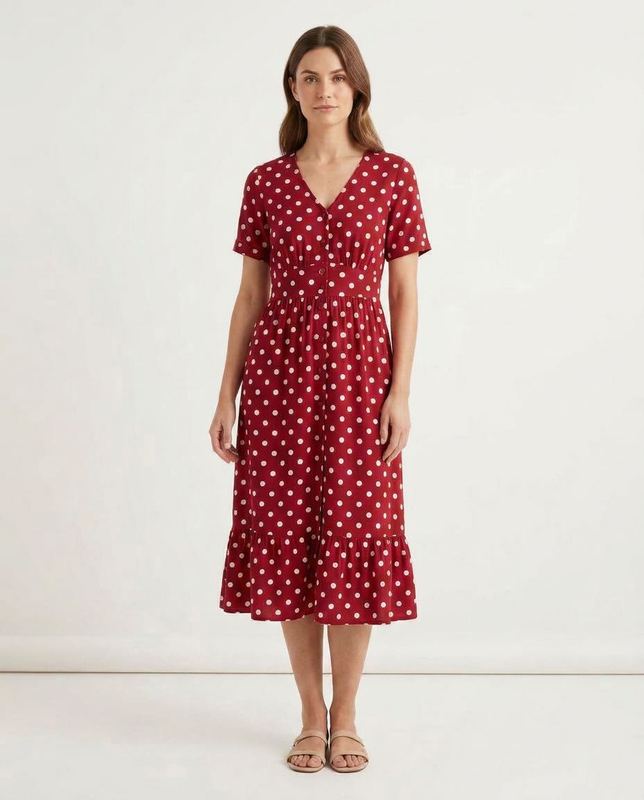 Generated
Floral dress. The florals came back as polka dots.
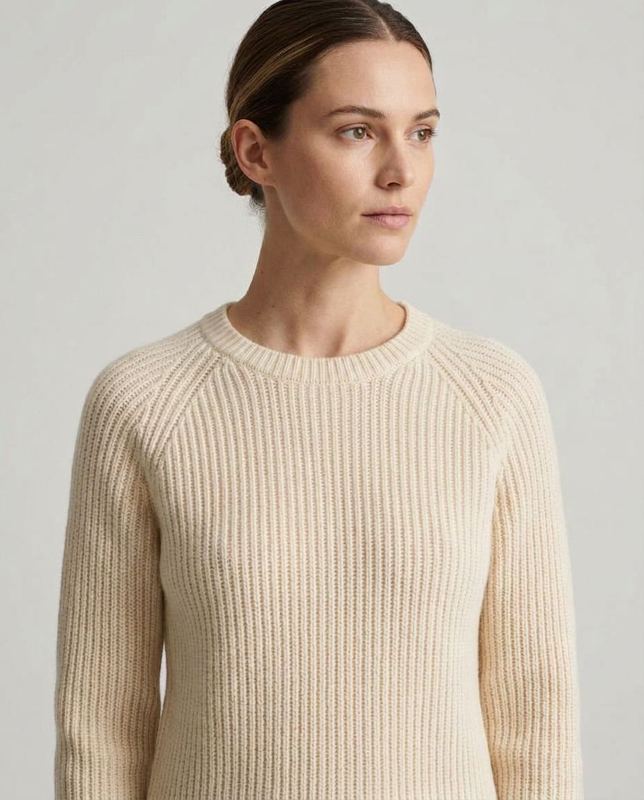 Generated
Ribbed turtleneck. The turtleneck came back a crewneck.
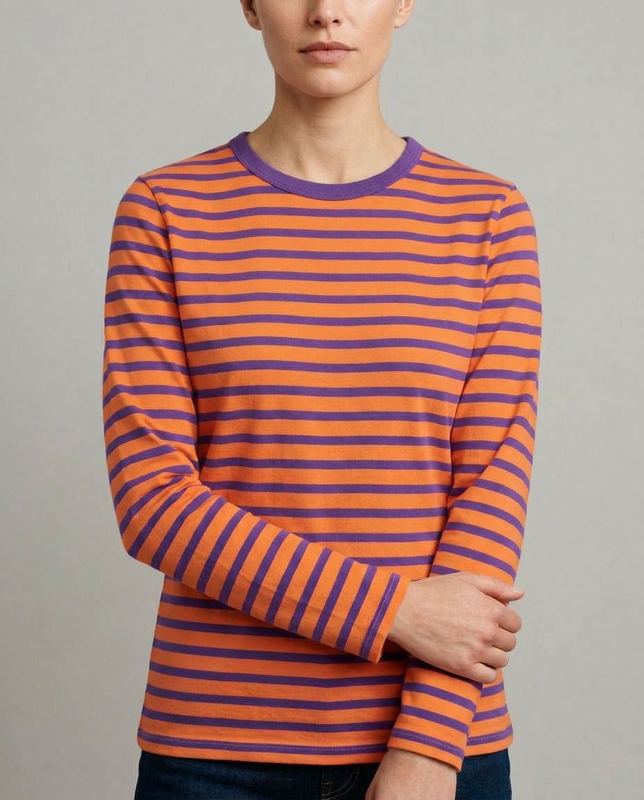 Generated
Striped top. Navy and white stripes came back orange and purple.
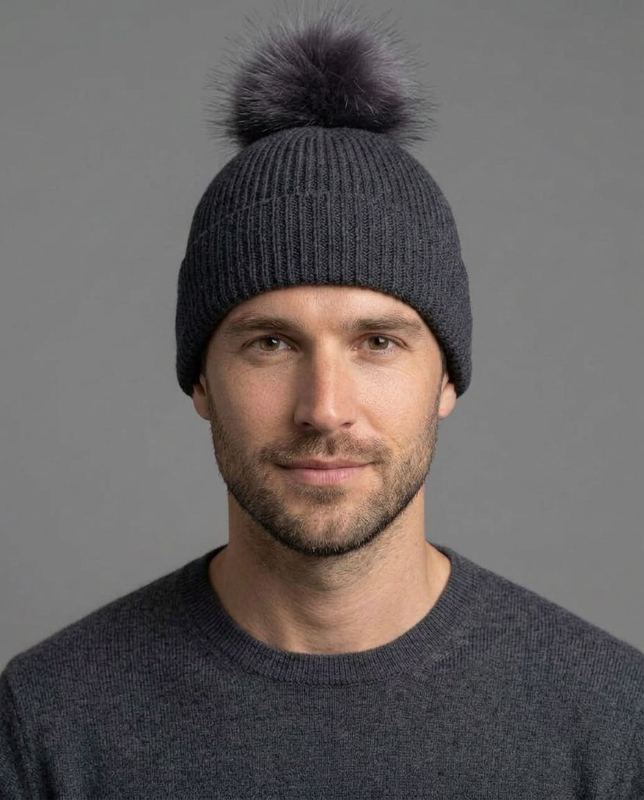 Generated
Ribbed beanie. A fur pompom appeared on a plain beanie.
 Generated
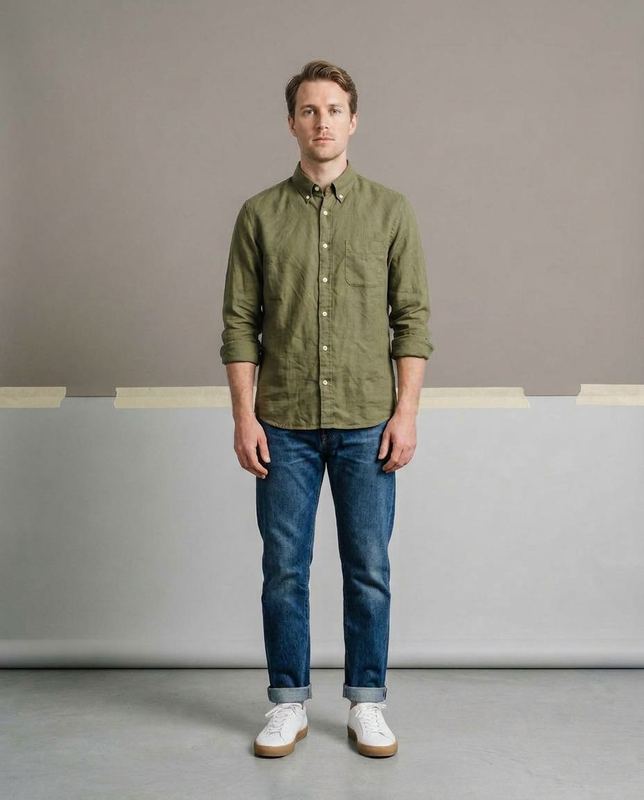
Olive shirt. A taped join and a second tone split the plain backdrop.
 Generated
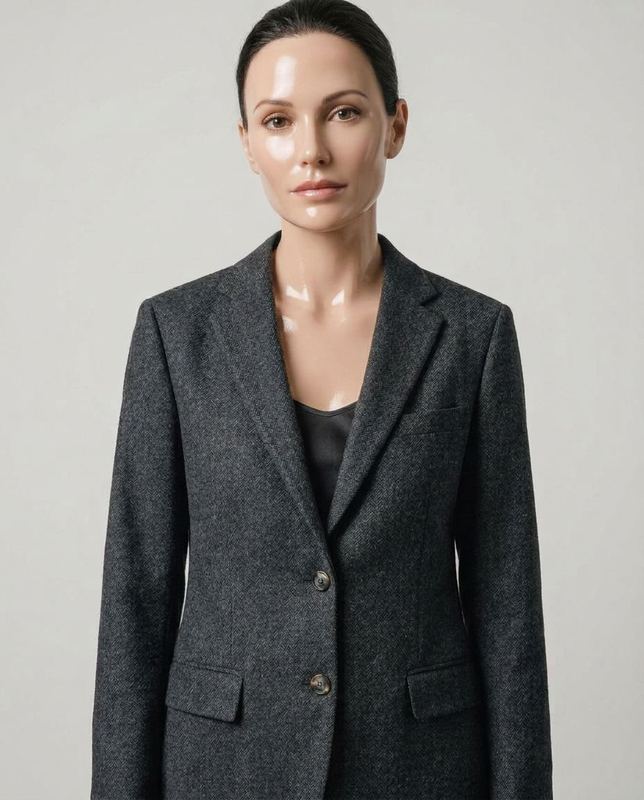
Wool blazer. The model's skin came back airbrushed to a waxy sheen.
6 of 43 tiles shown
What goes wrong in a generated product photo? Six kinds of mistake.
Every kind has turned up in shoots we ran. The last column is what QuickAds does on the default setting, and its keep-or-retry score is advisory: a flagged image is still delivered and billed.
| Type | What breaks | How to check | What we do |
|---|---|---|---|
| Fidelity | Breaks a detail: a print, a trim, a button count, a stone or a weave | Check each detail against the product photo at full size, and count what can be counted | We read the print and material from your photo into the prompt, and the score rates pattern, texture and construction |
| Coverage | Changes the shape: a neckline, a sleeve length, a hem or a closure | Check the outline first, from collar to hem, before anything smaller | We ask for the whole garment in frame, top to hem, and the score flags a different garment or a lost closure, collar or hem |
| Color | Shifts the color, or moves it, as in a dip-dye turned upside down | Check the frame beside the product photo on a neutral screen | We measure garment color against your photo wherever the garment can be isolated |
| Styling | Adds something loud nobody sent: a pompom, loud shoes, a piece of jewelry | Check anything the product photo does not show, and whether it pulls the eye off the product | We generate the pieces you didn't send to match, with minimal styling and no jewelry by default |
| Set | Adds to the set: a seam, a panel or a prop the scene never had | Check the background edge to edge, where the wall meets the floor | We ask for studio backdrops as one continuous sweep, with no join where the wall meets the floor |
| Identity | Changes the person: airbrushed skin, a different face, a wrong hand | Check the face, the skin and the hands against the model you picked | We ask for real skin texture with no airbrushing, and the score flags a person who is not the model you picked |
Google Merchant Center recommends product images that match the product and show its correct color, pattern and material. Source
What people ask about AI product photo mistakes.
What are the most common AI product photo mistakes?
They fall into six kinds. An image model can change a detail, such as a print, a button count or a stone; change the shape, such as a neckline, sleeve length, hem or closure; shift the color; add something nobody sent; alter the set; or retouch the person. Most pass a quick look, so they get caught only when someone compares the image with the product.
Are the QuickAds mistake examples real client photos?
No. Every tile is a reconstruction on a stand-in product: the product photo was generated from a text description, the clean frame was made with a general image model, outside the QuickAds pipeline, and the mistake was then put into a copy of it. Each tile carries one defect, put in on purpose, and no client file or QuickAds product frame appears.
How do you check an AI product photo before it goes live?
Open it at full size next to the product photo and check in the same order every time. Start with the outline from collar to hem, then count buttons, pockets and links, then compare print and texture. Check color on a neutral screen, look for anything nobody sent, such as shoes, jewelry or a seam in the backdrop, and finish on the model's skin and hands.
Why does AI change the details of a product?
An image model draws what a garment of that kind usually looks like, so where the photo leaves room, it fills in the most common version. A turtleneck can drift toward a crewneck, a graduated pearl strand toward even pearls and a cabled sleeve toward plain rib. The rarer the detail, the more likely it is to drift, and the less a quick look catches it.
Why do AI product photos get the color wrong?
Two things pull on the fabric: the light in the scene and the image model's own preferences. A warm set can yellow a cream, a dark one can push navy toward black, and a pale blue can come back brighter and more saturated. The photo still looks natural, so on the default setting QuickAds color-measures each garment image against your photo where the garment can be isolated.
How does QuickAds catch AI product photo mistakes?
On the default setting, your photo is read before anything is generated and its color, material and print go into the prompt, each garment image is color-measured against it where the garment can be isolated, and each gets a keep-or-retry score out of 100 with reasons. The score is advisory: a flagged image is still delivered and billed, and the check has missed a different garment before, so look at every frame.
Your own range, shot from the photos you have.
QuickAds is a performance creative company that runs the whole chain: creative intelligence, creative strategy, creative production, influencer marketing and campaign management. Ecommerce fashion photography is the link that puts every garment on a model or a mannequin form from one photo, and on the default setting scores each image keep or retry.