In dynamic product ads, your catalog photo is the ad.
The platform picks which products to show and builds each ad at delivery. The image it uses is the one already on the catalog row.
Tell us what you sell. We'll come back with a photoshoot plan for your catalog.
Free. No card. We reply within one working day.
Dynamic product ads are catalog ads that the platform builds for each shopper at delivery. It picks products from your catalog and drops each one's image, name and price into a template you set once. Meta's help pages call them Advantage+ catalog ads, and since nobody designs each ad, the image on the catalog row is the creative.
- The platform chooses the products and builds the ad. You control the catalog, its images and the template.
- Meta requires at least one image per product that shows the specific item for sale, and recommends four or more for shops and slideshows.
- For clothing, a garment on a person shows fit and length at ad size, where a flat shot shows only its outline.
- One model and one set across the range keep a carousel looking like one store.
- QuickAds makes those images from one photo per garment. Adding them to the catalog rows is a feed step.
Last updated · QuickAds Editorial Team
How do dynamic product ads work on Meta? Four parts, and the platform runs two of them.
You give the platform a catalog and a template. It matches products to people from their activity, then builds the ad when it is shown.
One row per product, with a name, a price, a link and at least one image. The ad shows the image on the row.
A single image, carousel or collection ad. By default it shows each product's name and price as text.
Events from your pixel or app, plus Meta's own signals, decide which products each person sees.
One per person, assembled at delivery, with no design round for any single product.
Meta picks the products for each person from pixel or app events and its own signals. Source By default, the ad shows each product's name and price. Source
What should a catalog ad image show? The garment worn, the same way across the range.
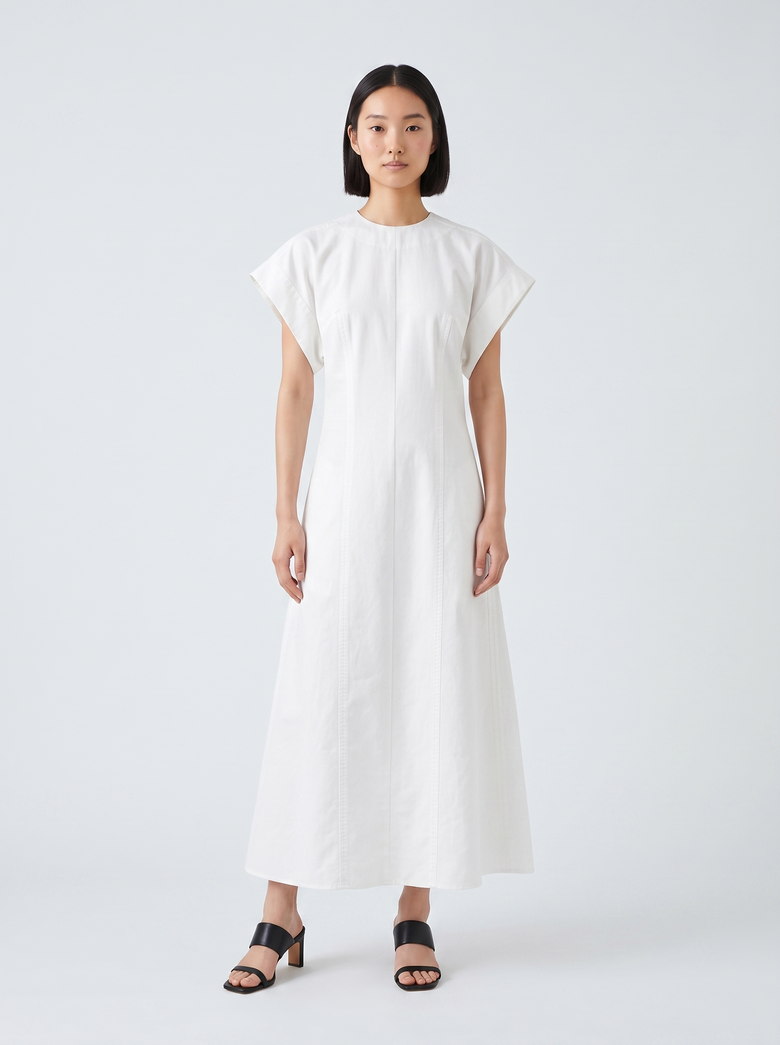
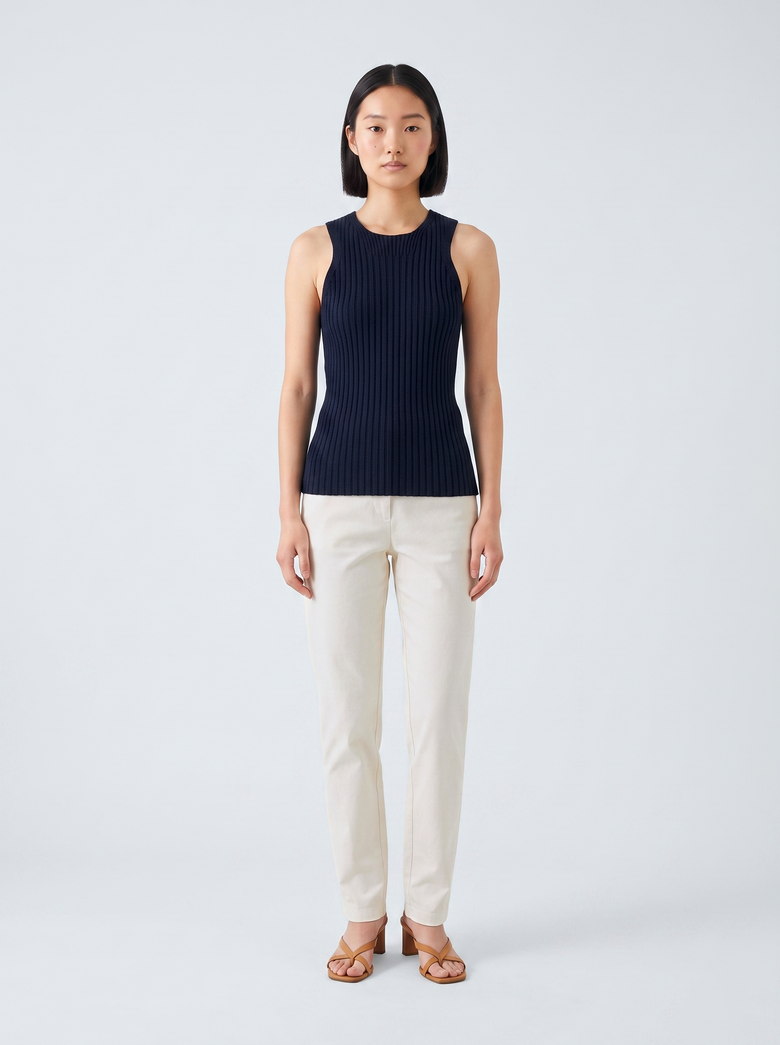
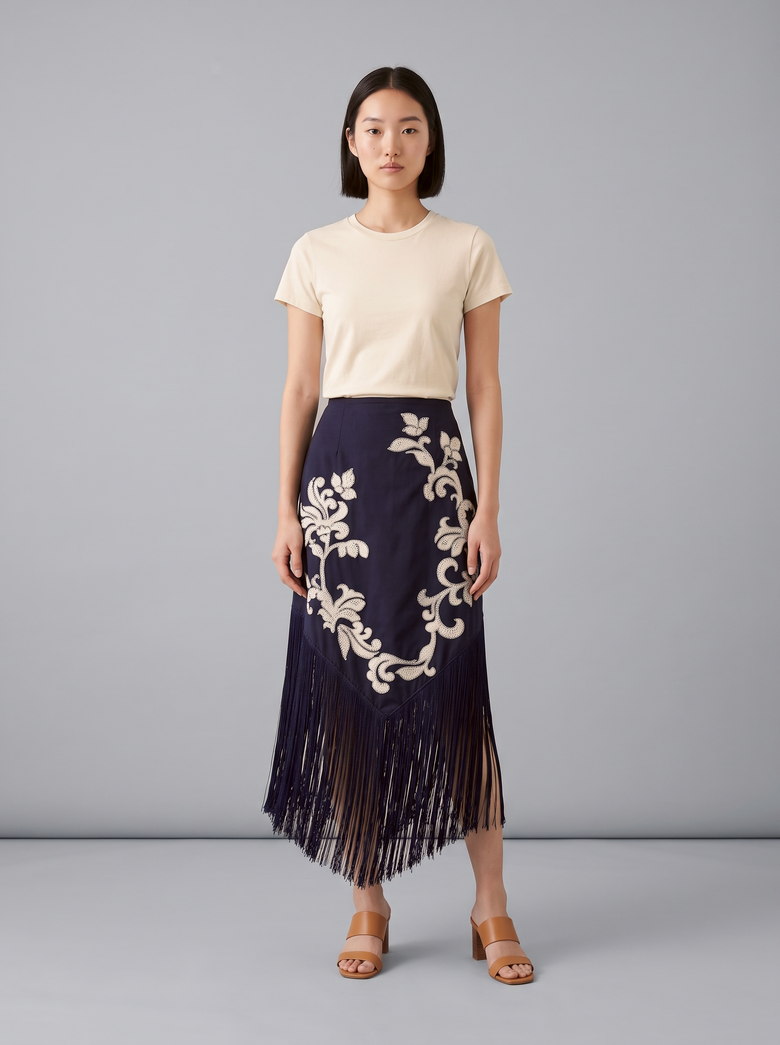
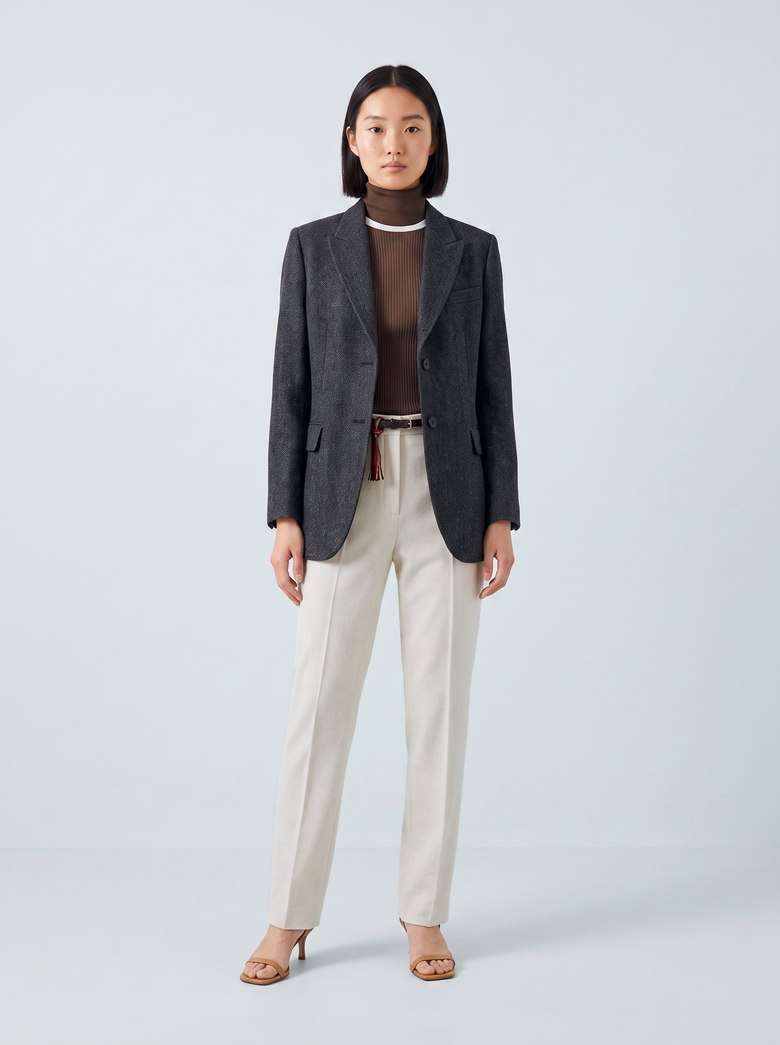
At ad size on a phone, a garment laid flat reads as an outline. On a model, a shopper sees the fit and the length before tapping, and Meta's own guidance suggests adding images of people wearing the product.
 Generated
 Generated
 Generated
 Generated
One model, four garments, one shoot. Every frame is generated, from garment photos on published product pages, none of them client work. The skirt came back on a darker sweep, the kind of mismatch to catch before a carousel runs.
You run it
Send one photo per garment, or a sheet or Drive folder of up to 60 garments per shoot. Each comes back on a model you pick or on one of four mannequin forms, at 1K, 2K or 4K on the default setting, in square, portrait or story shapes.
We run it
Our team works from the photos you already have and keeps one model and one set across the range. Each batch arrives in 5 to 7 days.
Where the files go
The images download one at a time or as a zip. Adding them to each product's row is a feed step, covered in product feed optimization. Our Enriched Catalog product can take that step on as well.
What goes wrong with catalog ad images? Five problems and the fix for each.
Nobody reviews a catalog ad product by product, so a problem with one image runs in every ad that shows that row. Each fix happens on the catalog row itself.
| Problem | Why it happens | The fix |
|---|---|---|
| The garment gets cropped | Happens when the default crop zooms in to fill the frame, or a carousel evens out mixed shapes | Fix it by giving every image one shape, square or 4:5, or by choosing to show the entire image in the catalog settings |
| The wrong color shows | Happens when one colorway's photo sits on every variant's row | Fix it by giving each colorway its own image, since Meta asks that images show the specific product for sale |
| A new image never appears | Happens when the replacement image keeps the old image's URL | Fix it by uploading the new image under a new URL, so the catalog picks up the change |
| Text covers the product | Happens when the product photo carries a price badge, a promo code or a watermark | Fix it by keeping text off the image and letting the template carry the name and price |
| The carousel looks mismatched | Happens when products were shot on different days, sets and models | Fix it with one model and one set for the range, checked image by image |
Meta asks for at least one image per product, square images of at least 500 by 500 pixels for shops, and a new URL for any replaced image. Source
What people ask about dynamic product ads.
What are dynamic product ads?
Dynamic product ads are catalog ads that the platform builds for each shopper when the ad is shown. It picks products from your catalog, based on what that person has viewed or might want, and fills a template with each product's image, name and price. Meta's help pages call them Advantage+ catalog ads.
How do dynamic product ads work on Meta?
You create a catalog in Commerce Manager, connect your Meta pixel or app SDK to it and choose the catalog when you set up a sales campaign. Meta then uses the events from your site or app, plus its own signals, to pick which products each person sees. The ad itself looks like any single image, carousel or collection ad.
What images work best for dynamic product ads?
Meta requires at least one image per product that shows the specific item for sale. It recommends a clear main image of the entire product, no text over it and four or more images for shops and slideshows. For clothing, a garment on a person shows fit and length at ad size, and one shape for every image, square or 4:5, keeps a carousel from adjusting them.
How to automate dynamic product ads creation?
The platform already automates the ad: once the catalog and the template exist, every product gets its ad with no design round. What stays manual is the image on each row. QuickAds puts each garment on a model or a mannequin from one photo, up to 60 garments per shoot on the software, or 100+ creatives a week when our team runs it.
Why should I use dynamic product ads?
One campaign can cover a whole catalog, so a range of hundreds of products doesn't need an ad built for each one. Meta uses them to remind people of products they viewed and to reach people who haven't bought from you yet. The trade-off is that nobody designs those ads, so the image on each catalog row has to carry them.
Can generated on-model photos be used in catalog ads?
Meta asks that product images show the specific product for sale, so a generated image has to show the real garment: its color, print, length and details. QuickAds generates the garment on a model from one photo of it, and on the default setting each garment image is color-measured against that photo and scored keep or retry. The score is advice, so check each image before it goes on a row.
A model shot for every garment in the catalog.
QuickAds is a performance creative company that runs the whole chain: creative intelligence, creative strategy, creative production, influencer marketing and campaign management. Ecommerce fashion photography is the link that puts every garment in your catalog on a model or a mannequin, for the product page and the catalog ad.