Flat lay photography, turned into on-model images.
A flat lay is the easiest clean photo of a garment to take. Shoot it well once, and it can come back on a model.
Tell us what you sell. We'll come back with a photoshoot plan for your catalog.
Free. No card. We reply within one working day.
Flat lay photography means laying a garment flat on a surface and shooting it from directly overhead. It needs no model and no mannequin, so it is fast and cheap. A good flat lay also carries what it takes to show the garment on a model later: its shape, its color and its details.
- Shoot from directly overhead, in soft, even light, with the whole garment in frame.
- A flat lay is the cheapest product photo to shoot and the easiest input for the others.
- One flat lay per garment is enough to generate on-model images from.
- On the default setting, garment images made from it are color-measured against the flat lay.
Last updated · QuickAds Editorial Team
How do I set up for flat lay photography? Three things decide the result.
A flat lay has to show the whole garment as it is: its outline, its true color and every detail a shopper will ask about. Get the light, the frame and the garment right, and the photo works on its own and as the start of an on-model image.
Soft, even and neutral
Daylight from a large window or two diffused lights at matching angles. Hard shadows hide folds and seams, and warm bulbs shift the color before anything else can.
Straight down, whole garment
Put the camera directly overhead so the outline stays true. Leave a margin on every side, keep one garment per photo and pick a plain surface that contrasts with it.
Steamed, squared and closed
Steam out the creases, line up the seams and close every button and zipper. A wrinkle in a flat lay reads as part of the garment in anything made from it.
What changes when a flat lay goes on a model? Three garments, illustrated.
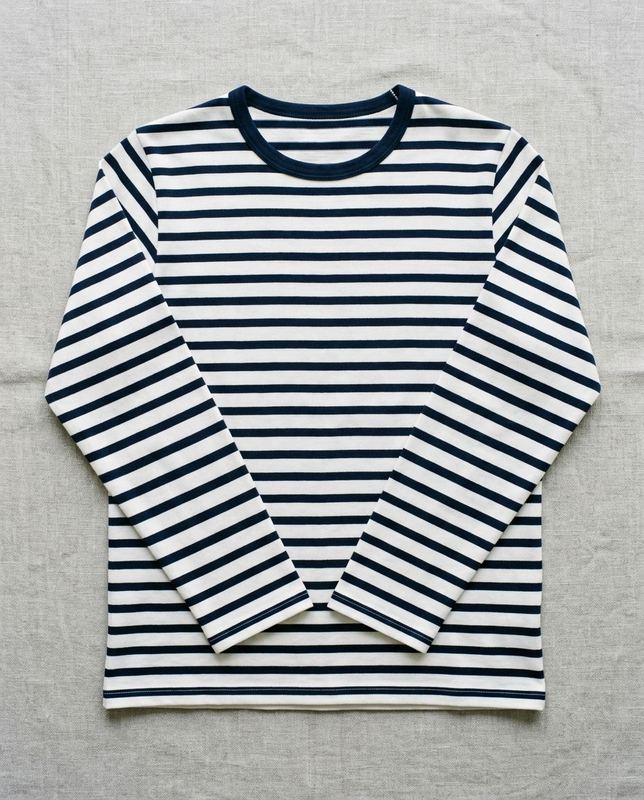
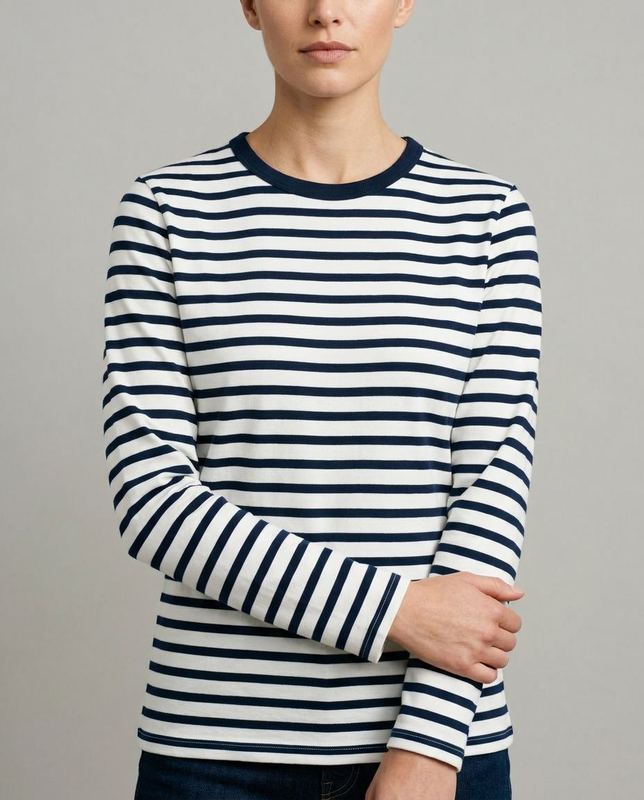
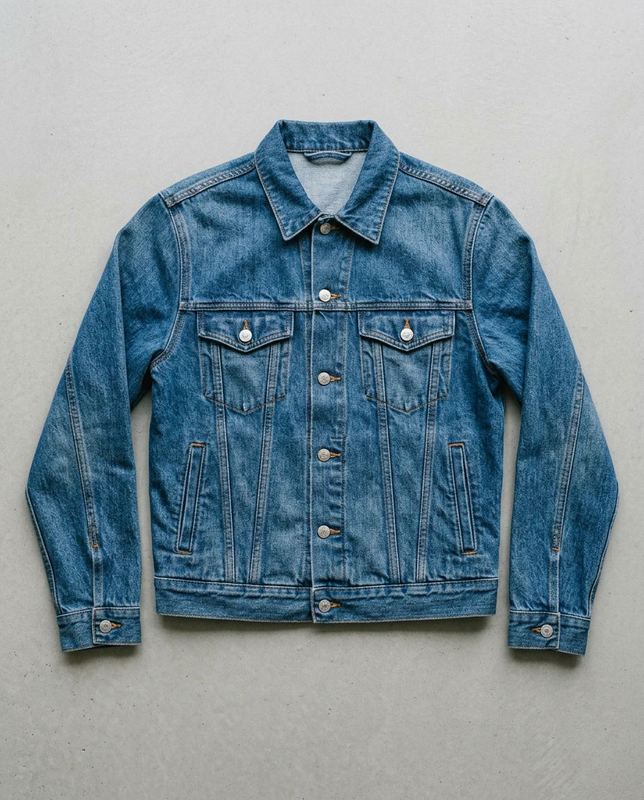
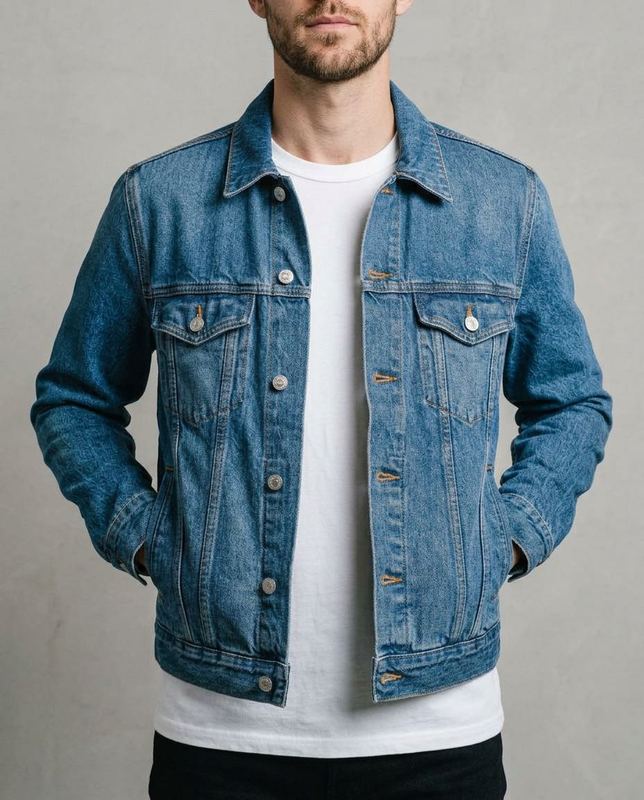
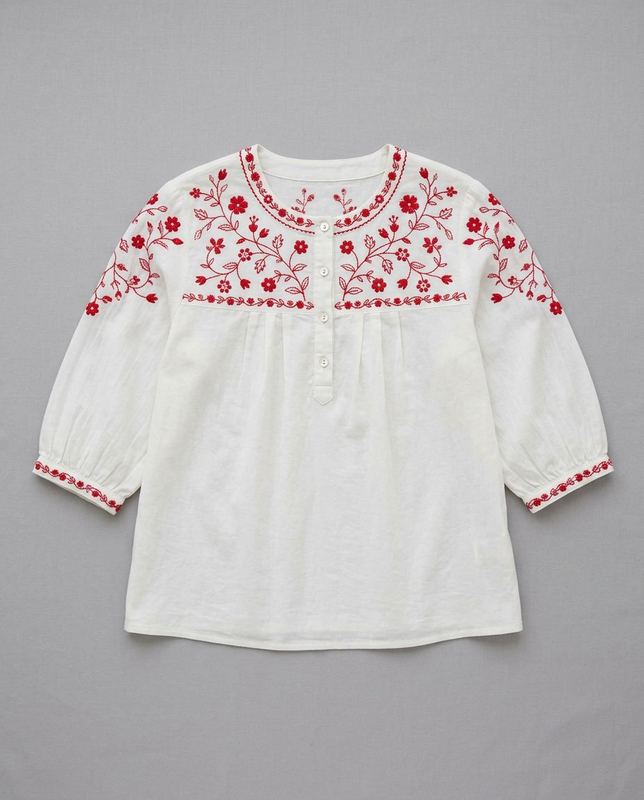
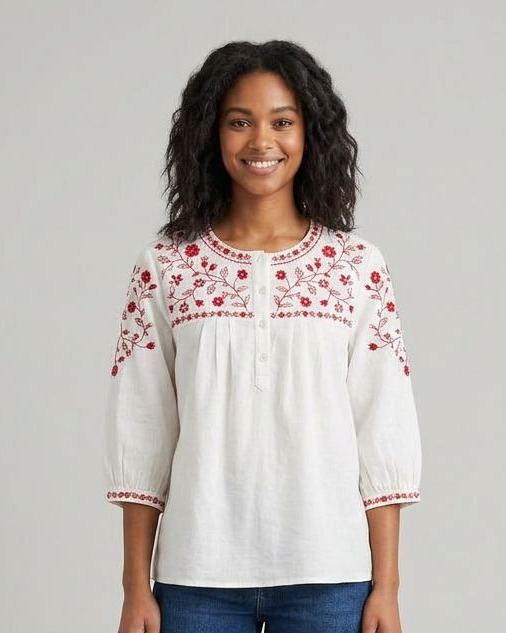
Each pair is a generated stand-in flat lay and an on-model frame made from it with a general image model, outside our pipeline. The fit, the drape and the person are new, so the garment's details are what to check against the flat lay.
 Generated stand-in
 Generated
Check the stripe spacing and the navy neckband against the flat lay.
 Generated stand-in
 Generated
Check the chest pockets, the button placket and the fade against the flat lay.
 Generated stand-in
 Generated
Check the embroidery: here the motifs are close without matching the flat lay stitch for stitch.
Flat lay, ghost mannequin or on-model? What each photo does best.
Most clothing stores use more than one kind of product photo. A flat lay is the cheapest to shoot and the easiest input for the others.
| Photo | What it shows | Best for | What it takes |
|---|---|---|---|
| Flat lay | Shows the whole garment laid flat, shot overhead | Best for detail views, marketplace listings and as the input for the rest | Takes a plain surface, even light and a steamer |
| Ghost mannequin | Shows the garment's shape as if worn, with no body in it | Best for product pages where the cut should read without a model | Takes a mannequin and editing to remove it, or a form generated from your flat lay |
| On-model | Shows how the garment fits and falls on a person | Best for product page hero images and ads | Takes a model and a shoot, or an on-model image generated from your flat lay |
| Detail close-up | Shows fabric, trims and fastenings up close | Best for answering the questions a shopper would ask in a store | Takes a macro lens, or a close crop of a sharp flat lay |
Google Merchant Center recommends showing clothing worn by a person and, in a full-body image, keeping the model's head and feet in frame. Source
What people ask about flat lay photography.
What is a flat lay in photography?
A flat lay is a photo of something laid flat on a surface and shot from directly overhead. In clothing, the garment is spread out, smoothed and photographed with no model and no mannequin. Stores use flat lays for detail views and marketplaces, and as the starting photo for on-model and mannequin images.
How to take flat lay photos of clothes?
Steam the garment and lay it on a plain surface that contrasts with it, with the seams squared and every button and zipper closed. Light it with soft daylight or two diffused lights, and leave a margin on every side. Shoot from directly overhead, one garment per photo, so the outline stays true.
What are common flat lay photography mistakes?
Shooting at an angle bends the outline, and warm or mixed light shifts the color. Leftover creases read as part of the garment, and a cropped sleeve or a prop over the product hides part of it. Each of these carries into any on-model image made from the photo.
Can a flat lay be turned into an on-model photo?
One flat lay per garment is enough for QuickAds to put the garment on a model you pick, or on a mannequin form, in the set you choose. The fit and drape are generated, and pieces you did not send are generated to match. On the default setting, each garment image is color-measured against the flat lay and scored keep or retry.
Is a flat lay or a ghost mannequin better for a product page?
They do different jobs: a flat lay shows the whole garment and its details and is the cheapest to shoot, while a ghost mannequin shows the garment's shape as if worn. Many stores use both, plus an on-model image. All three can start from the same flat lay.
Do flat lay photos need a white background?
Not as an input: a plain surface that contrasts with the garment matters more, so a white shirt reads better on gray or linen. The on-model and mannequin images made from a flat lay get their background from the set you pick. If the flat lay is your main product image, Google Merchant Center recommends a solid white or transparent background.
One flat lay per garment, on a model for every SKU.
QuickAds is a performance creative company that runs the whole chain: creative intelligence, creative strategy, creative production, influencer marketing and campaign management. Ecommerce fashion photography is the link that turns your flat lays into on-model and mannequin images for the store and the ads.