AI assisted · human reviewed
Catalog ads · feed to branded creative

Catalog ads for every SKU in your feed

A product feed is data. A catalog ad has to sell. QuickAds turns every row into an image, video or motion ad in your brand, shows you exactly which products changed when the feed moves, and exports catalog feeds for Facebook, Google, TikTok and Snapchat. Run it yourself, or hand the whole thing to our team, from $299 a month.

Opens the QuickAds app. Sign in, then choose Add catalog. Managed plans start at $5,000 a month.

4
Export channels
3
Creative formats
5 to 7 days
Managed turnaround
32M+
Ads behind the templates
See your feed as ads

Send your feed URL or store link. We map a template onto your own products, so you see real SKUs in your brand before you commit to anything.

Loading the form…

Free. No card. We reply within one working day.

The walkthrough

Watch a catalog become ads, start to finish.

A shop owner, a spreadsheet of products, and the Catalog Ads screens in between: import the catalog, give every row its own creative, and come out with ads ready to run. One minute 22 seconds, recorded in the live product.

In short

Catalog Ads, in one paragraph and five lines.

QuickAds Catalog Ads turns a product feed, CSV or category page into branded catalog creative. It renders every SKU into an image, video or motion template you control, lists which products changed when a connected feed moves, and exports catalog feeds for Facebook, Google, TikTok and Snapchat. Launching the campaign stays in your ad account, run by you or by our team.

Key takeaways
  • The platform picks the product. The template decides what its ad looks like.
  • Feed changes are listed first. Added, changed and removed products show up before anything regenerates.
  • No automatic publishing. Exports go into Commerce Manager or each platform's catalog as a separate step.
  • Tests run where the data is. QuickAds builds the variants, and Meta, Google, TikTok or Snapchat runs the A/B test.
  • Two ways to pay. $299 a month to run it yourself, from $5,000 a month for our team to run it.
How it works

Seven steps. One connected workflow.

From the feed you already have to an export file your ad platform can read. Six steps happen in QuickAds and the seventh in your ad account, and every one of them says who does it.

What "dynamic" means here

Your ad platform picks the product. QuickAds decides how it looks.

Meta, Google, TikTok and Snapchat decide which product each shopper sees. QuickAds decides what that product's ad looks like: the layout, the brand treatment and which of your feed fields appear on the frame. The design stays fixed and every slot fills from the product's row.

When a connected feed moves, QuickAds lists the products that were added, changed or removed and shows the field-level difference. You decide when to regenerate, and only the products that moved need to.

01Connect02Map03Brand04Localise05Preview06Export07LaunchOne platform · AI assisted · human reviewed
Seven steps from product feed to a live catalog campaign, where each happens and who does it.
#StepWhereWho does it
01Connect the sourceA product feed URL, a CSV or spreadsheet, or a category page.QuickAdsYou, or our team at setup
02Map fields to slotsPoint title, image, price and the rest of your columns at the slots in the template.QuickAdsYou
03Brand the templateChoose image, video or motion, then set fonts, colours, imagery and animation.QuickAdsYou, or our designers on managed
04Localise the copyKeep the wording in your feed, or translate it for a new market.QuickAdsYou
05Preview and approveSee every product's image, name and price in the design before any ad is created.QuickAdsYou. Nothing is created without it
06Export the feedA catalog feed formatted for Facebook, Google, TikTok or Snapchat.QuickAdsYou download it, or our team hands it over
07Launch the campaignAdd the feed in Commerce Manager or the platform's catalog, then run the campaign.Your ad accountYou, or our media team on managed

QuickAds does not publish to Meta Commerce Manager on its own. Steps 1 to 6 happen in QuickAds and step 7 happens in your ad account. On a managed plan, a person on our team does step 7 inside your account, with your permission.

The output

Every SKU gets its own ad, not the packshot on white.

Two kinds of catalog creative from one workflow. Product-level video generated one SKU at a time from a single photo, and enriched frames our team built for clients.

Oak dining chair
Gold signet ring
Suede Chelsea boot
Enamel kettle
Steel bottle
Generated footage from our tests · invented products · tap any clip to pause
Why every SKU, not one hero clip

A catalog ad only moves if that product's row has a video.

One hero clip covers one row and leaves the rest still. Meta recommends video on at least 20 products for Dynamic Media, though it sets no hard minimum. Meta's Dynamic Media guidance

Enriched frames · client work

Diamond eternity ring worn on a hand against lace, with the positioning line Everyday but Elevated
Jewellery · positioning line
Emerald bracelet and ring at an evening event, with the words Quiet Luxury and a Schedule a visit button
Jewellery · baked-in CTA
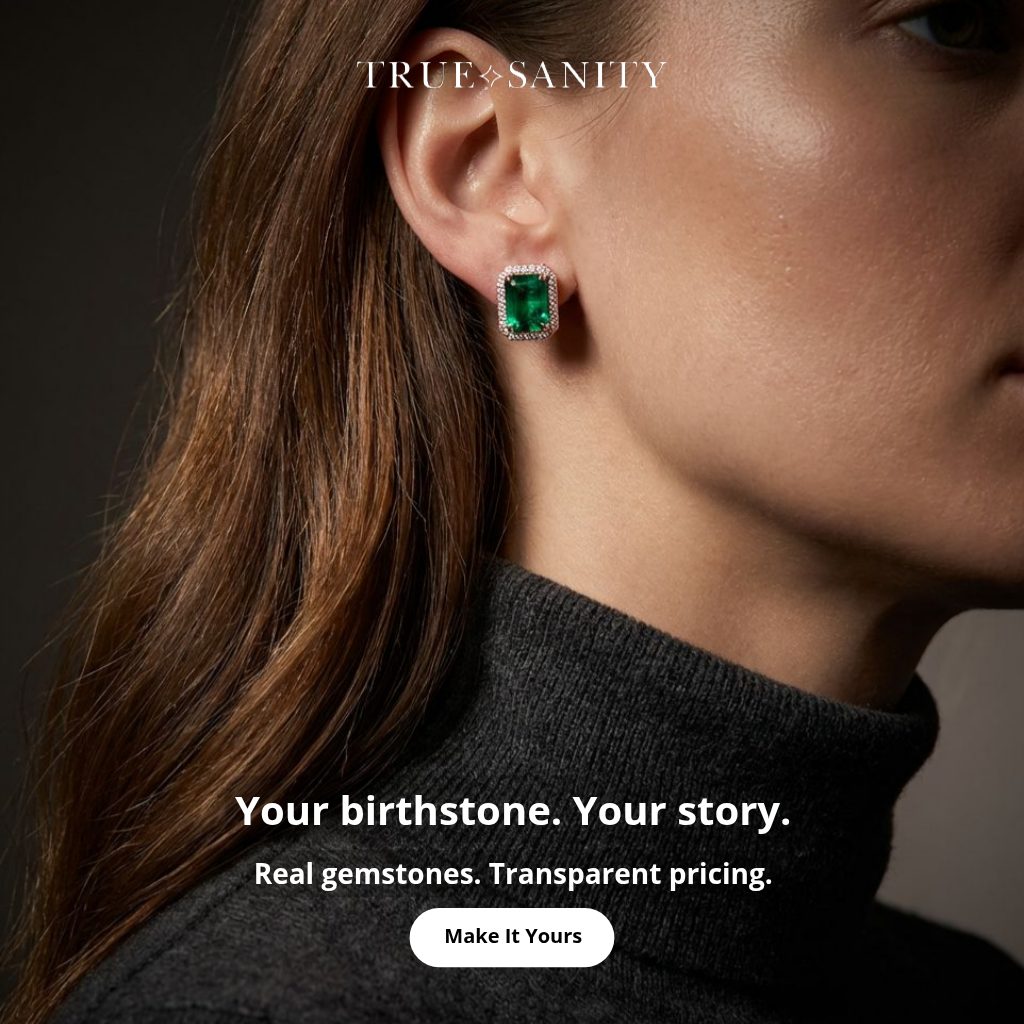
Emerald stud earring on a model, with the lines Your birthstone Your story and Real gemstones Transparent pricing
Gifting · value props
A plain product image on white, the kind a raw catalog feed serves by default
Raw feed image · before
Client creative shown with permission. Offers pictured ran as dated campaigns and are shown as case history, not live promotions. More in enriched catalog ads.

What Meta draws on its own, and what has to be built

Layers Meta's dynamic overlays can add to a catalog image, against what a QuickAds template builds into the creative.
Layer on the adMeta dynamic overlayQuickAds template
PriceYesYes
Strikethrough and percent offYesIf your template maps a sale price field
Free shipping labelYesKeep Meta's overlay for this one
Brand frame and logoNoYes
Styled or lifestyle backgroundNoYes
Your fonts, colours and layoutNoYes
Motion or video per productNo, needs a video per rowYes, video and motion templates
RatingNoOnly if your feed carries it

Meta's overlays cover price, strikethrough price, percent off and free shipping. Meta's guide to dynamic overlays. Check current placement support before planning around it.

What goes wrong

Three mistakes we see in almost every catalog program.

None of them are design mistakes. They are decisions about the frame, the feed and the test, made at the points where nobody is looking.

Mistake 01 · What the shopper sees

Letting the packshot be the ad

Connect a feed and the platform serves the image in it: one product, one white background, the same frame as your marketplace listing. Native overlays add a price or a discount label and stop there. The brand frame, the context and the reason to care all have to be built into the creative before the feed serves it.

What we do instead

Every product rendered into a template in your brand, as image, video or motion, with the fields you choose drawn onto the frame. The feed still decides which product runs. The template decides what it looks like.

One template · every SKU · your fonts and colours
Mistake 02 · When the feed moves

Treating a feed update as a creative update

A price drops on Thursday. The feed updates, but the price or badge baked into last month's image does not, so the ad says one thing and the product page another. The opposite happens too: whole catalogs get regenerated because nobody can see which ten products actually changed.

What we do instead

Change detection on connected URL feeds. QuickAds lists what was added, changed and removed, shows the difference field by field, and lets you regenerate only what moved. Nothing regenerates on its own.

New · changed · removed, before you apply anything
Mistake 03 · How you test it

Changing the catalog and the creative in one test

Two ad sets, two designs, and somewhere along the way the product set or the audience changed as well. The result gets read as a creative win or loss when it was nothing of the sort. A catalog test is only readable when the products and the audience hold still.

What we do instead

QuickAds builds the variants: a different layout, background, badge, headline or call to action across the same products. The test runs in Meta, Google, TikTok or Snapchat, where the results already live. On managed, our media team sets it up and reads it.

One variable · same products · same audience
Two decisions worth getting right

Which tool, and who should run it.

Smartly, Marpipe and Feedonomics are each good at something real. The right choice depends on where your bottleneck sits: the media buying, the catalog design, the product data, or the hours to run it.

Comparison of QuickAds, Smartly, Marpipe and Feedonomics for catalog advertising: what each is, catalog creative, feed changes, channels, campaign launch, managed service, published pricing and who each is best for.

QuickAds compared with Smartly, Marpipe and Feedonomics for catalog and dynamic product ads, from each vendor's own pages, September 2026.
QuickAdsSmartlyMarpipeFeedonomics
What it isCatalog creative, feed change checks and exports, with a creative and media team you can hand it to.An enterprise ad platform joining creative, media and data.A catalog creative tool with product-level video and feed management.Feed management software and full-service feed operations.
Catalog creativeImage, video and motion templates in your brand, field mapping, and a preview of every product before anything is created.AI image and video templates for dynamic product ads.Catalog designs and countdowns. Product-level video on Enterprise.Not the core offer. Its job is the product data itself.
When the feed changesURL feeds show new, changed and removed products. You regenerate only what moved.Feed-driven campaigns that update automatically.Daily sync on paid plans, hourly as an add-on.Ongoing optimisation and sync of product data.
ChannelsExports for Facebook, Google, TikTok and Snapchat.Meta, TikTok, Snapchat and Pinterest for dynamic product ads.One channel on Startup, unlimited on Enterprise.2,000+ destinations, including Google Shopping, Amazon, Walmart and TikTok.
Campaign launchIn your ad account. Our media team runs it on managed.Built in: buying, automation and reporting.Launches DPA to your channels from the platform.Delivers product data to each channel. Campaigns are set up there.
Done for youManaged from $5,000 a month: templates, feed upkeep and campaign execution.Services sold alongside the platform.White Glove on Enterprise, with a dedicated design strategist.Full-service feed management.
Published pricingYes. $299 a month software, from $5,000 a month managed.No. Quote on request.Yes. Free, $199 a month with a 500 SKU cap, or $999 a month plus $0.50 per SKU.No. Quoted on SKU count, channels and service level.
Best forTeams who want catalog creative, feed checks and a team behind it, in one place.Enterprise teams automating media buying across platforms.Self-serve catalog design with a free tier and per-SKU pricing.Brands whose real problem is product data across many channels.
Who covers the whole chainCreative intelligence, strategy, production and campaign management, with the catalog in the middle.Each covers one link: media and automation, catalog design, or product data.
Swipe the table sideways

Sources, checked September 2026: Smartly dynamic product ads · Marpipe pricing · Feedonomics pricing. Prices change, so check each vendor's page before you decide.

Choose Feedonomics if

your problem is product data across hundreds of marketplaces and shopping channels.

Choose Smartly if

you are an enterprise team that wants media buying and creative automation in one contract.

Choose Marpipe if

you want a self-serve catalog design tool with a free tier and pricing per SKU.

Choose QuickAds if

you want the creative, the feed checks and the exports in one workflow, and a team that can run all of it for you.

Full comparisons: QuickAds vs MarpipeQuickAds vs Smartly

Comparison of running Catalog Ads self-serve against the managed service: who does the work, what you provide, template design, feed upkeep, campaign launch, best fit and price.

Self-serve Catalog Ads software against the managed catalog service.
Run it yourselfLet our team run it
Who does the workYour team, inside QuickAds. You map, brand, preview and export.Our strategists and designers, with you approving. Same platform underneath.
What you provideA feed URL or CSV, brand assets and your ad accounts.A brief, a feed and a budget.
Template designYou build from our templates.Built to your brand guidelines by our designers.
Feed upkeepYou check the changes and regenerate.We watch the feed and tell you what changed.
Campaign launchYou, in your ad account.Our media team, in your account, with your approval.
TurnaroundAs fast as your team moves.5 to 7 days per batch, held to the date.
Best forTeams with a designer and the hours to run it.Teams whose bottleneck is hours rather than intent.
Price$299 a month.From $5,000 a month, or 5% of ad spend on the productized plan.
Switching between themStart self-serve and hand it over when the range outgrows the hours.Or start managed and take it in house once your team has the pattern. Same account either way.
Swipe the table sideways
AI handles form, humans own substance. The templates, the mapping and the rendering are automated. Which products get video first, what the frame should say and how the test is read are decisions a person on our team makes with you. If you have the people, take the software. If you do not, hand it to us, at roughly half what it costs to build the same team in house.
When the feed moves

A price drops on Thursday. Here is what the ad does.

Pick a change. The feed row is on the left, the ad in the middle, and what QuickAds does with it on the right. Nothing regenerates until you say so.

Feed row · SKU 4417-TAN
titleChelsea boot, suede
price120.0089.00
availabilityin stock
image_link4417-tan.jpg
Changed · 1 field
Your brandNow 89
Chelsea boot, suede $89
What QuickAds does

Flags the row, not the whole catalog

The product shows up under changed, with the old and new price side by side. Regenerate that product, or the batch it belongs to, and leave the rest of the range alone.

How soon shoppers see the new ad depends on how often your ad platform refreshes the feed.

Feed row · SKU 2208-SLV
titleSignet ring, silver
price145.00
availabilityin stockout of stock
image_link2208-slv.jpg
Changed · availability
Your brandSold out
Signet ring, silver $145
What QuickAds does

Tells you before a shopper does

The row is flagged as changed, so you know which ads need attention. Catalog campaigns generally stop serving an item once the availability they read says it is out of stock, which is why keeping that field current in the exported feed matters more than the image.

Feed row · SKU 7730-OAK · new
titleDining chair, oak
price310.00
availabilityin stock
image_link7730-oak.jpg
Added · new product
Your brandNew in
Dining chair, oak $310
What QuickAds does

New arrivals get the same frame on day one

The product appears under new. Generate its creative with the template the rest of the range already uses, preview it, and it goes out in the next export. Nothing that already works gets touched.

Product feed fields Meta requires for catalog ads, and which ones can appear on a QuickAds catalog ad.
Feed fieldMeta requires itOn a QuickAds frameNotes
idYesNoHas to match the content ID your Pixel sends, or views cannot be matched to products.
titleYesYesMeta allows 200 characters and recommends 65. Long names get checked in preview.
descriptionYesYesKept as written, or translated for a new market.
availabilityYesYesChanges are flagged so you know which ads need a refresh.
conditionYesNoRequired for Meta to accept the item. Not a design field.
priceYesYesChanges are flagged on connected URL feeds.
linkYesNoWhere the ad sends the shopper.
image_linkYesYesThe product image drives the frame, in image, video or motion templates.
brandYesIf your template has a slotYour brand treatment itself comes from the template.
item_group_idOptionalMappedTies sizes and colours together so each keeps its own image.
ratingOptionalIf your feed has itOnly shown when your feed supplies it. We never add one.
sale_price · currency · custom_labelOptionalIf your template has a slotAny column your template exposes can be mapped. We check yours at setup.

Required fields from Meta's catalog field reference. Fields you do not place never appear on the creative.

Your feed row · beforeid 4417-TAN title Chelsea boot, suede price 89.00 USD availability in stock image_link …/img/4417-tan.jpg

Exported row · afterid 4417-TAN title Chelsea boot, suede price 89.00 USD availability in stock image_link …/4417-tan-branded.jpg

The product data stays as it is. What changes is the creative each row points to: the finished ad's link is written back into that product's row, so the catalog serves the branded version and not the packshot. Shown here for an image ad.

Where it earns its keep

Five catalogs that change every week.

Big ranges and moving inventory, where a repeatable design and clean product data do the most work. These describe workflows, not prebuilt integrations.

Fashion and apparel

One collection, many sizes and colours

Variant IDs keep every colourway on its own image, so the navy jacket never serves the black one's photo. A seasonal drop lands as new rows and gets the same layout the day it arrives.

title · image_link · price · item_group_id · availability

First test: on-model frame against flat lay, same template, same products. On-model photography

Accessories and jewellery

Small differences, shown clearly

Gold and silver versions of the same piece, a bag in three finishes. Map the exact image and name for each so materials stay distinct at thumbnail size, where most of these ads are seen.

title · image_link · price · material · id

First test: close-up crop against the full product, same badge. Jewellery examples

Beauty and personal care

Every shade still recognisable

Shade names on the frame and one layout across hundreds of SKUs, so a lipstick range reads as a range. Ratings appear only when your feed carries them.

title · image_link · price · shade · rating

First test: shade-name headline against a benefit headline. Beauty creative

Home and furniture

Big ranges, slow decisions

Thousands of SKUs with long names and one photo each. Motion templates and styled backgrounds give a single packshot some context, and long titles get caught in preview before anything exports.

title · image_link · price · dimensions · availability

First test: plain background against a styled room background. Catalog product video

Food delivery and quick commerce

Prices move faster than design queues

Weekly promotions, daily price changes and items that sell out by evening. Change detection shows which rows moved, so you refresh one promotional batch instead of the whole catalog.

title · image_link · price · availability · category

First test: price-led badge against a product-led frame on the same promo set. Feed optimization

Something else

A catalog that does not fit a box

Course libraries, spare parts, travel inventory. If it lives in rows with an image and a price, it can be mapped. Send the feed and we will tell you honestly whether it fits.

See your feed as ads
Pricing

Published on the page, like it should be.

Three ways to buy: software you drive yourself, a team that runs it for you, or creative and campaign management together. We quote output and turnaround, never a return figure.

Software
$299
Per month

You run it: templates, field mapping, previews, change checks on URL feeds and exports for all four channels.

Managed
$5,000
Per month, from

Our designers build templates to your guidelines, watch the feed and hand over the files. Each batch takes 5 to 7 days.

Productized
5%
Of ad spend

Creative plus campaign management. $5,000 monthly minimum, six-month term, with a 2% premium add-on.

What moves a catalog quote

Four things decide it. Software stays $299 a month either way
SKU countHow many products need creative, and how many get videoScope
Templates and formatsImage, video and motion, per market and per channelScope
Feed refreshHow often prices, stock and the range moveUpkeep
Who runs the seven stepsYou, our team, or a split between the twoService
Included on every plan4 channel exports

Smartly and Feedonomics quote on request. Marpipe publishes plans from free to $999 a month plus $0.50 per SKU. Entry prices cover different work, so compare what each includes before comparing the number. Source

Questions

What catalog teams ask before they switch anything.

What are dynamic product ads?

Dynamic product ads are built from a product catalog rather than designed one at a time. You connect a feed, the ad platform picks which products to show each shopper, and the creative fills in from each product's row. Meta now calls them Advantage+ catalog ads. QuickAds works on the creative half: what each product's ad looks like when it serves.

What is dynamic about a QuickAds catalog ad?

The product data is dynamic and the design is fixed. One template renders once per product, pulling that row's image, name, price and other mapped fields into your layout. Which product a shopper sees is your ad platform's decision. QuickAds adds the brand treatment to every one of them, and shows you which rows changed since the last run.

Which catalog fields can stay dynamic in the creative?

Product name, image, price, description and availability map straight into the template, along with variant IDs so each colour or size keeps its own image. Any other column your template exposes can be mapped too. A rating only appears if your feed carries the field the template expects, and QuickAds never invents one.

Does QuickAds publish to Meta Commerce Manager automatically?

No. QuickAds exports a catalog feed formatted for Facebook, Google, TikTok or Snapchat, and someone adds it in Commerce Manager or the matching platform's catalog. Connecting your ad account and launching the campaign are separate steps that stay with you. On a managed plan, a person on our team does that step inside your account, with your permission.

What happens to my ads when prices or stock change?

On a connected URL feed, QuickAds lists every product that was added, changed or removed and shows the difference field by field, so a price drop from 120 to 89 is visible before you touch anything. You regenerate only what moved and keep the creative that still works. Nothing regenerates on its own, and how fast shoppers see it depends on your platform's feed refresh.

How do I A/B test catalog ad creative?

QuickAds builds the variants and your ad platform runs the test. Make two versions of the same template that differ in one thing, such as the background, badge, headline or call to action. Export both across the same product set and run them as separate ad sets. Keep products and audience identical, or the result says nothing about the creative. On managed, our media team runs and reads it.

Is QuickAds cheaper than Smartly, Marpipe or Feedonomics?

It depends on scope, because the entry prices cover different work. QuickAds software is $299 a month and managed starts at $5,000 a month. Marpipe publishes plans from free to $999 a month plus $0.50 per SKU. Smartly and Feedonomics quote on request. Compare what each price includes, the creative, the feed work and who runs the campaigns, before comparing the number.

How flexible are the templates?

Layouts, fonts, colours, imagery and animation are all editable, and every template comes as image, video or motion. You can keep the copy in your feed or translate it for a new market, and use your own brand assets throughout. What stays fixed is the structure: every product fills the same slots, which is what keeps a 4,000-SKU catalog looking designed rather than assembled.

How do you set up dynamic product ads on Facebook?

Create a catalog in Meta Commerce Manager and add a product feed. Install the Meta Pixel or Conversions API and check that product IDs fire on view, add to cart and purchase. Then create a Sales campaign and choose the catalog and a product set. To run branded creative instead of plain feed images, add the feed QuickAds exports as the catalog's data source.

Which channels can I export catalog ads to?

Facebook, Google, TikTok and Snapchat. Each export is a catalog feed formatted for that platform, so the same branded creative runs across all four without being rebuilt. The export prepares the feed. Connecting it to an ad account and launching the campaign happen inside each platform, done by you or, on a managed plan, by our team.

Can your team run catalog ads for me?

Yes. On a managed plan our designers build templates to your brand guidelines, our team watches the feed and tells you what changed, and our media team launches and tests in your ad account with your approval. Managed starts at $5,000 a month and each batch takes 5 to 7 days. You still approve the creative and keep ownership of the accounts.

What do I need to start with QuickAds Catalog Ads?

A product feed URL, a CSV or spreadsheet, or a category page, plus your logo, fonts and colours. You do not need a developer. Open Catalog Ads in the QuickAds app, choose Add catalog and pick your source. Use a feed URL rather than a one-off file if you want change detection, because changes are tracked on connected URL feeds.

Go deeper

The terms, then every catalog page.

Catalog ads
Ads built from a product catalog, where the platform picks which products each shopper sees.
Dynamic product ads (DPA)
The older name for catalog ads, still used by most guides and several ad platforms.
Advantage+ catalog ads
Meta's current name for its catalog ad format.
Product feed
The file or URL that lists every product with its ID, title, price, image and availability.
Product set
A filtered group of catalog products that one ad set is allowed to show.
Dynamic overlay
A label Meta draws on the feed image when the ad serves, such as a price or percent off.
Commerce Manager
Where Meta catalogs live, and where an exported feed is added as a data source.
item_group_id
The feed field that ties the sizes and colours of one product together.
Dynamic Media
Meta's option to show a product's own video in catalog ads when its row has one.