
Unlock Your Content Potential: The Ultimate Guide to Creating Engaging Faceless Videos

Making videos without showing your face is becoming a big thing. Lots of people are doing it because it lets them stay private and get creative with how they tell stories. It’s a good option if you like keeping to yourself, want your work to really stand out, or just enjoy a bit of mystery. Plus, it makes people pay more attention to what you're actually saying or showing, instead of focusing on who you are. If this sounds interesting, stick around because we're going to break down how to make awesome videos without ever being on camera. We'll cover why they work, what tools you need, how to make them engaging, and even how to make some money from them.
Key Takeaways
- Faceless videos appeal to audiences by focusing on content substance and offering creators privacy and anonymity.
- A wide range of video ideas, from animations to tutorials, can be successfully created without showing your face.
- Essential tools include animation software, screen recorders, and video editors to produce polished faceless content.
- High-quality audio, engaging visuals, and a clear voiceover technique are vital for captivating viewers.
- Consistent posting, social media promotion, collaborations, and SEO are key strategies for growing a faceless video channel.
Understanding The Appeal Of Faceless Videos
Why Faceless Content Captivates Audiences
It might seem a bit odd at first, right? Making videos without showing your face. But honestly, it’s becoming a really popular way to create content online. Think about it: a lot of people are getting more private these days, and they don't necessarily want their face plastered all over the internet. This approach lets creators focus purely on what they're talking about or showing, rather than worrying about how they look on camera. It’s like letting the message do all the talking.
The core appeal lies in shifting the viewer's attention from the presenter to the presentation itself. This means your information, your story, or your skills take center stage. For example, a tutorial on how to fix a leaky faucet doesn't really need to show the presenter's face, does it? What matters is clear instructions and a good demonstration. This is why so many channels focused on education, tutorials, or even storytelling are finding success without ever revealing the person behind the screen.
Here’s a quick look at why this works:
- Focus on Substance: Viewers tune in for the information or entertainment value, not necessarily the creator's appearance.
- Reduced Distractions: Without a face, there's less for the viewer to get sidetracked by, leading to better comprehension.
- Relatability Through Content: People connect with the ideas and solutions presented, making the content itself the star.
Sometimes, not seeing a face can actually make the content more intriguing. It sparks a bit of curiosity about who's behind the voice or the visuals, which can keep people watching longer. It’s a different kind of connection, built on shared interest rather than personal recognition.
The Privacy and Anonymity Advantage
Let's be real, not everyone wants to be a public figure. For many, the idea of putting their face online brings up concerns about privacy, judgment, or even just unwanted attention. Faceless videos offer a fantastic solution to this. You can share your knowledge, your creativity, or your passion without having to worry about who might be watching or what they might think of your appearance. It’s a way to participate in the online world on your own terms.
This anonymity is a big deal for a few reasons:
- Personal Safety: Keeping your identity private can be important for personal security.
- Professional Separation: It allows you to keep your online content creation separate from your day job or personal life.
- Reduced Pressure: You don't have to worry about maintaining a certain image or dealing with comments about your looks.
It’s about creating a safe space for yourself to be creative and share what you know. You can build an audience based on the quality of your work, not on your personal brand as a visible personality.
Shifting Focus to Substance Over Appearance
In a world that can sometimes feel a bit superficial, faceless videos bring things back to basics: the actual content. When you’re not focused on looking good for the camera, you can pour all that energy into making your video as informative, entertaining, or helpful as possible. This means better scripting, clearer explanations, more engaging visuals, and a stronger overall message.
Think about the difference between watching a cooking show where the chef is constantly talking about their outfit versus one where they just show you how to make a delicious meal. The latter is usually more effective, right? Faceless videos operate on that same principle. The goal is to deliver value, and the absence of a face helps ensure that value is front and center. It’s about the 'what' and the 'how,' not the 'who.'
This approach is particularly effective for:
- Educational Content: Explaining complex topics clearly.
- Tutorials: Demonstrating processes step-by-step.
- Storytelling: Focusing on the narrative and emotional impact.
By removing the visual of a person, you create a cleaner canvas for your message to shine through, making it easier for your audience to absorb and appreciate what you have to offer.
Exploring Diverse Faceless Video Ideas
So, you're ready to make videos but don't want your face in them? Totally doable. There are tons of ways to create content that grabs attention without you needing to be on camera. It's all about focusing on what you're showing and saying. Let's look at some popular types of videos that work really well without a visible host.
Whiteboard Animations and Visual Explanations
Think of those videos where a hand draws things on a whiteboard as someone talks. They're great for explaining complicated stuff in a simple way. You can show diagrams, flowcharts, or just quick drawings that pop up as the explanation goes on. It makes abstract ideas feel more real. You can film your own hands doing the drawing, or use software to make it happen digitally, or work with professional whiteboard animation services if you want a more polished result. The key is to keep the visuals moving and easy to follow, paired with a clear voiceover.
Screen Recording Tutorials and Demonstrations
These are super useful for showing people how to do something on a computer or phone. You record what's on your screen while you narrate. It's perfect for software guides, website walkthroughs, or even showing how to play a game. Tools like OBS Studio can capture your screen, and then you just add your voice. People really appreciate getting step-by-step help for problems they're trying to solve right now.
Stop-Motion Animation and Craft Projects
This takes a bit more patience, but the results can be really cool. Stop-motion involves taking lots of photos of objects and moving them slightly between each shot. When you play them back, it looks like they're moving on their own. You could use toys, craft supplies, or even just everyday items. It gives your videos a unique, handcrafted feel. Adding some background music or a voiceover makes it even better. It's a great way to stand out and show off your creativity.
Animated Infographics and Data Visualization
Numbers and facts don't have to be boring. Animated infographics can make data look interesting. Imagine charts that grow, timelines that move, or statistics that change visually as you explain them. One helpful approach is to use Looker Studio templates, which can give your visuals a clear and engaging structure. You can use presentation software or animation tools for this. It's a smart way to present research, reports, or educational material. A short, clear voiceover helps tie all the data together and make it understandable. This style is fantastic for educational content or sharing interesting facts.
The main goal with any faceless video is to make the content itself the star. Whether it's through clear explanations, engaging visuals, or a compelling story, the focus stays on the information being shared, not the person sharing it. This allows viewers to concentrate fully on what matters most.
There are many different directions you can go with faceless videos. Exploring these creative video ideas can help you find a style that fits what you want to share and what your audience will enjoy watching.
Essential Tools For Faceless Video Creation
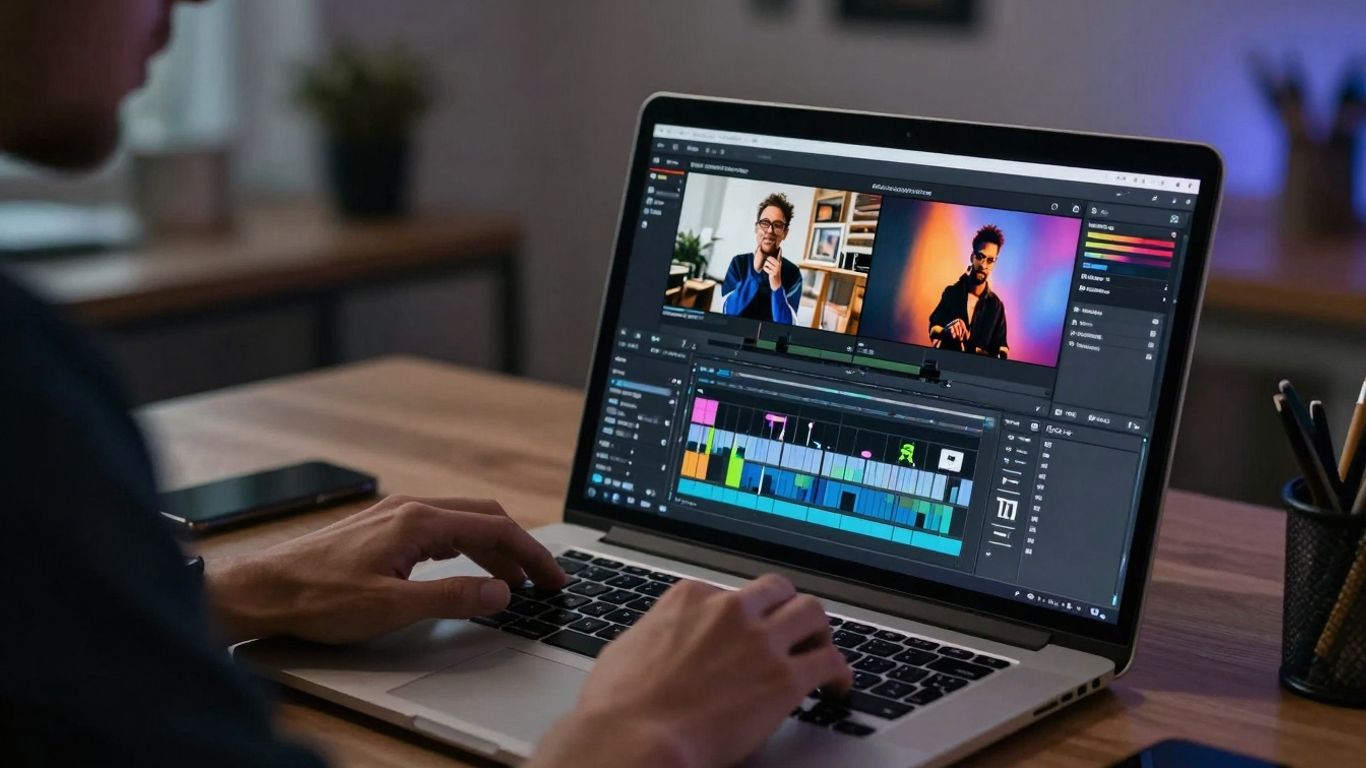
Creating engaging faceless videos doesn't mean you have to be a tech wizard, but having the right tools definitely makes things easier. Think of these as your creative sidekicks. They help you turn your ideas into polished videos without needing to be on camera yourself.
Leveraging Text-to-Video and Animation Software
These programs are fantastic for bringing scripts to life. You can often input text, and the software will generate video clips, add animations, and even create voiceovers. It's a quick way to get a video made, especially if you're starting out or have a lot of content to produce. Some tools are really good at making videos from just a blog post or article. You can find platforms that specialize in turning written content into visual stories, which is a huge time-saver. For example, tools like Fliki can take your script and turn it into a video with animated scenes and narration. This is a big step up from just posting text.
Mastering Screen Recording Techniques
If your content involves showing people how to do something on a computer or phone, screen recording is your best friend. You'll want software that can capture your screen clearly, record your voice at the same time, and maybe even add some highlights or zoom effects to point out important parts. OBS Studio is a popular free option that many creators use for recording and streaming. It's pretty powerful once you get the hang of it. Good screen recording means viewers can follow along easily, making your tutorials much more helpful. Clear visuals are key here, so make sure your screen resolution is set high.
Choosing the Right Video Editing Platforms
Once you have your clips (whether they're screen recordings, animations, or stock footage), you need to put them together. Video editing software is where the magic happens. You can cut out mistakes, add music, adjust audio levels, and put in text overlays or graphics. For beginners, simpler programs like iMovie or Filmora are great starting points. If you need more advanced features, you might look into Adobe Premiere Pro or DaVinci Resolve. The goal is to make your video flow well and look professional, even without a face on screen. A well-edited video keeps people watching.
The right tools can significantly speed up your workflow and improve the final quality of your videos. Don't feel pressured to buy the most expensive software right away; start with what fits your budget and skill level, and upgrade as you grow.
Crafting Engaging Faceless Content
So, you've got your idea and you're ready to make a video, but you're not showing your face. That's totally fine! The good news is, you can still make videos that people actually want to watch. It's all about focusing on what's in the video, not who's making it.
Prioritizing High-Quality Audio
This is a big one, seriously. If your audio sounds like it was recorded in a tin can or with a cheap microphone, people will click away fast. Even if your visuals are amazing, bad sound is a deal-breaker. You don't need a fancy studio, but a decent microphone makes a world of difference. Think about it: you're more likely to forgive a slightly blurry image than you are to listen to someone who sounds like they're underwater.
Here are a few tips for better audio:
- Get a dedicated microphone: Even a simple lavalier mic that clips onto your shirt is way better than your phone's built-in mic.
- Record in a quiet space: Turn off fans, close windows, and try to find a room with soft furnishings like carpets or curtains to soak up echo.
- Do a sound check: Always record a short test clip and listen back before you record the whole thing. Make sure there's no background noise or distortion.
Enhancing Visuals with Graphics and Text
Since your face isn't on screen, your visuals have to do more work. This is where graphics, text overlays, and animations come in. They help explain things, keep viewers interested, and add a professional touch. Think about how you can use these elements to guide the viewer's eye and make your points clearer.
- Text Overlays: Use these to highlight key points, introduce new topics, or add captions. Keep the font readable and the text concise.
- Stock Footage and Images: If you're not creating animations, good quality stock footage can fill in the gaps and make your video more dynamic. Just make sure it fits the mood and message.
- Branding Elements: Consistent use of colors, fonts, and logos helps people recognize your videos, even without seeing you. It builds a consistent look and feel.
Developing a Compelling Voiceover Technique
Your voice is your main tool for connecting with the audience when you're not on camera. It needs to be clear, engaging, and easy to listen to. A monotone voiceover can make even the most interesting topic sound boring. Practice makes perfect here, so don't be afraid to record yourself and listen back.
The goal is to sound natural and conversational, like you're talking to a friend. Avoid sounding like you're just reading a script. Inject some personality and enthusiasm into your delivery. If the topic is serious, your tone should match, but you can still convey sincerity and care.
Consider these points for your voiceover:
- Pacing: Vary your speed. Slow down for important points and speed up slightly for less critical information.
- Tone: Match your tone to the content. Be energetic for upbeat topics, calm for relaxing ones, and serious for informative ones.
- Enunciation: Speak clearly. Mumbling will make your audience strain to understand, which is the opposite of what you want.
Strategies For Faceless Video Growth
So, you've made some awesome faceless videos. That's great! But how do you get people to actually watch them? It's not enough to just upload and hope for the best. You need a plan to get your content in front of the right eyes. Think of it like planting seeds; you need to water them and make sure they get enough sun.
Maximizing Reach Through Social Media Sharing
Don't keep your amazing videos locked away on one platform. Sharing snippets or teasers on other social media sites is a smart move. Platforms like TikTok, Instagram Reels, or even LinkedIn can be goldmines for attracting new viewers. You can take a compelling minute from your video, add some catchy text, and then direct people to your main channel for the full experience. It's a simple way to get more eyes on your work without a lot of extra effort. Also, don’t rely solely on social platforms for distribution—create a “home base” where your best videos live. With Gumlet, you can embed videos on your site (blog, landing page, or portfolio), keep playback fast, and track engagement—so you know which videos actually drive subscribers or clicks.
The Power of Collaboration and SEO
Working with other creators can be a game-changer. Find people in your niche who make similar kinds of videos, even if they're also faceless. You could do a joint video, shout each other out, or even create a small series together. This exposes your channel to their audience, and vice versa. Plus, don't forget about search engine optimization, or SEO. This means using the right words in your video titles, descriptions, and tags. Think about what people would actually type into YouTube to find a video like yours. Getting this right helps YouTube's algorithm show your videos to more people who are looking for that kind of content.
Maintaining a Consistent Upload Schedule
People like knowing when to expect new content. If you upload videos randomly, viewers might forget about you. Setting a regular schedule, whether it's once a week or twice a month, helps build a loyal audience. It shows you're serious about your channel and gives people a reason to keep coming back. Try to stick to it as much as possible. If you know you'll be busy one week, maybe prepare an extra video in advance. Consistency is key to keeping your audience engaged and growing.
Building an audience takes time and effort. It's about more than just making good videos; it's about making sure people can find them and want to keep watching. Think about how you can make your content discoverable and give people a reason to subscribe.
Monetizing Your Faceless Video Channel
So, you've put in the work, built up a following for your awesome faceless videos, and now you're wondering how to actually make some money from it. It's totally doable, and honestly, there are quite a few ways to go about it. It's not just about getting views; it's about turning those views and your audience's trust into income.
Affiliate Marketing and Sponsored Content
This is a big one for many creators. With affiliate marketing, you recommend products or services that you genuinely think your audience will find useful. You put special links in your video descriptions, and when someone buys through your link, you get a small commission. It's like a thank you from the company for sending them a customer. For sponsored content, brands might pay you to feature their product or service in your video. This could be a quick mention, a full demonstration, or even a dedicated review. The key here is to be upfront with your audience about these partnerships and only work with brands that align with your content and values. Nobody likes feeling like they're being sold to constantly, so finding that balance is important.
Generating Revenue Through Ad Sales
If you're posting on platforms like YouTube, you can enable ads to run on your videos. As your channel grows and you get more views, the ad revenue can start to add up. It's not usually a get-rich-quick scheme, but over time, with consistent uploads and a steady audience, it can become a reliable income stream. The more people who watch your videos and the longer they watch, the more ads they'll see, and the more you'll earn. It's a pretty straightforward system once you meet the platform's requirements for monetization.
Building Paid Membership Communities
Building a membership community is another powerful way to monetize your faceless channel. Instead of relying only on views, you can create a private space where your most engaged followers get exclusive content, deeper insights, and direct access to your knowledge through a dedicated membership platform. This could be done via GroupApp, Discord, Telegram group, or a subscription-based platform where you regularly share tips, strategies, or behind-the-scenes processes. If your content is educational, you can also teach others how to replicate your results through courses, workshops, or structured programs. It’s a natural progression, people already trust your content, so offering them a way to learn directly from you adds real value. Over time, this not only builds a loyal community but also creates a steady, scalable income stream that isn’t dependent on algorithms.
Selling Merchandise and Digital Products
Even though you're not showing your face, you can still create and sell your own stuff. Think about POD platforms like Printful or Printify that provide merchandise like t-shirts, mugs, or stickers with your channel's logo or a popular catchphrase from your videos. If your content is educational, you could also create and sell digital products. This might include e-books, templates, presets for editing software, or even mini-courses related to your niche. It's a great way to give your audience something tangible to connect with your brand and provides another income stream that's directly tied to your content.
Building a successful faceless channel means focusing on the substance of your content. When you prioritize quality audio, engaging visuals, and a clear message, your audience will connect with what you're saying, not necessarily who is saying it. This focus on value is what makes monetization strategies like affiliate marketing, sponsorships, and product sales so effective, as they build upon the trust you've established with your viewers.
Here's a quick look at how these methods can stack up:
- Affiliate Marketing: Good for niche products, requires audience trust.
- Sponsored Content: Can be lucrative, requires careful brand selection.
- Ad Revenue: Steady income over time, dependent on views and watch time.
- Merchandise: Builds brand loyalty, requires design and fulfillment.
- Digital Products: High profit margins, requires creation effort.
Wrapping It Up
So, there you have it. Creating videos without showing your face isn't some secret trick; it's a smart way to share what you know or love while keeping your privacy. We've talked about tons of ideas, from simple screen recordings to cool animations, and how to make sure people actually watch them. Remember, it's all about the content itself. Focus on giving people something useful or interesting, make your videos look and sound good, and keep showing up regularly. With a bit of effort and creativity, your faceless channel can totally find its audience and even make you some money. Don't be afraid to try new things and see what sticks. Your unique approach, even without a face, could be exactly what people are looking for.
Frequently Asked Questions
What exactly is a faceless video?
A faceless video is a type of video where the creator doesn't show their face. Instead, the focus is on the content itself, like animations, screen recordings, or visuals, with a voiceover or text explaining things.
Why would someone want to make videos without showing their face?
People make faceless videos for many reasons! It helps them keep their privacy, avoid feeling shy on camera, or simply let the information or story be the main star. It's a great way to share knowledge or entertain without being the center of attention.
What kind of tools do I need to make faceless videos?
You don't need fancy gear! Basic tools include screen recording software (like OBS Studio), animation apps (like Moovly), video editing programs (like Filmora or iMovie), and a decent microphone for clear sound. Some tools can even turn text into video!
How can I make my faceless videos interesting?
To keep viewers hooked, focus on great audio quality, clear voiceovers, and engaging visuals. Use graphics, text overlays, and smooth editing. Telling a good story or providing really useful information also makes a big difference.
How do faceless video creators get more viewers?
Creators share their videos on social media, work with other creators, and use keywords in their titles and descriptions so people can find them easily. Posting videos regularly also helps build an audience that knows when to expect new content.
Can I make money from faceless videos?
Yes, you can! You can earn money through ads on platforms like YouTube, by recommending products and earning a commission (affiliate marketing), or by having companies pay you to feature their stuff (sponsored content). You can also sell your own products, like digital guides or merchandise.









Privacy is important to us, so you have the option of disabling certain types of storage that may not be necessary for the basic functioning of the website. Blocking categories may impact your experience on the website. View Our Privacy Policy


